
Some of the admin runs itself. Here is exactly which.
Reminders, rebook nudges and overdue chasing go out without you. Session notes come back as a draft you review. Emails are on from the start; texts and AI Notes wait until you switch them on.
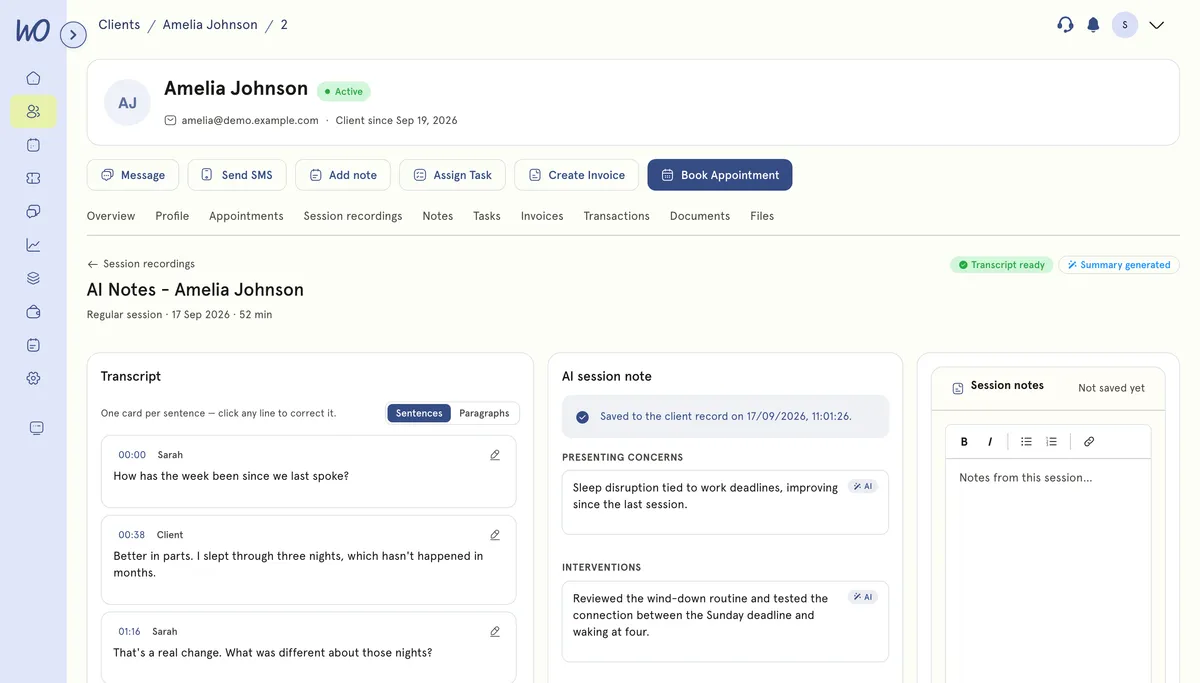
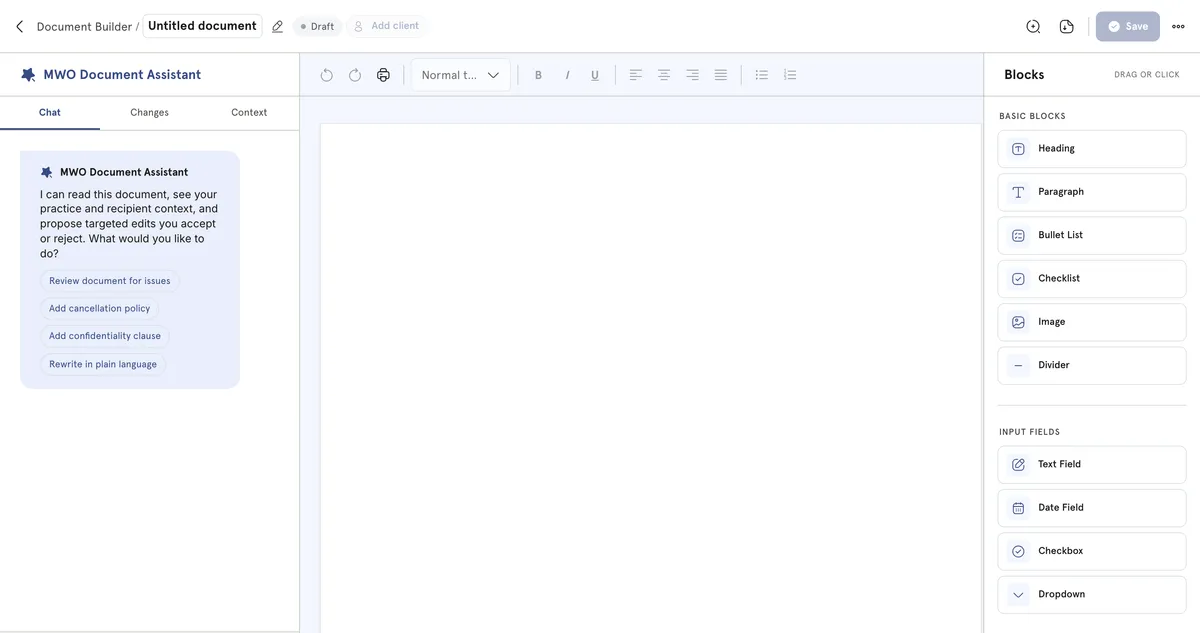
Two places: session notes, and documents
AI Notes turns a consented recording into a transcript and a structured draft. The document assistant drafts a form or letter from your description. Both hand you something to edit, never something already filed.
Reminders, chasers and nudges — rules, not guesses
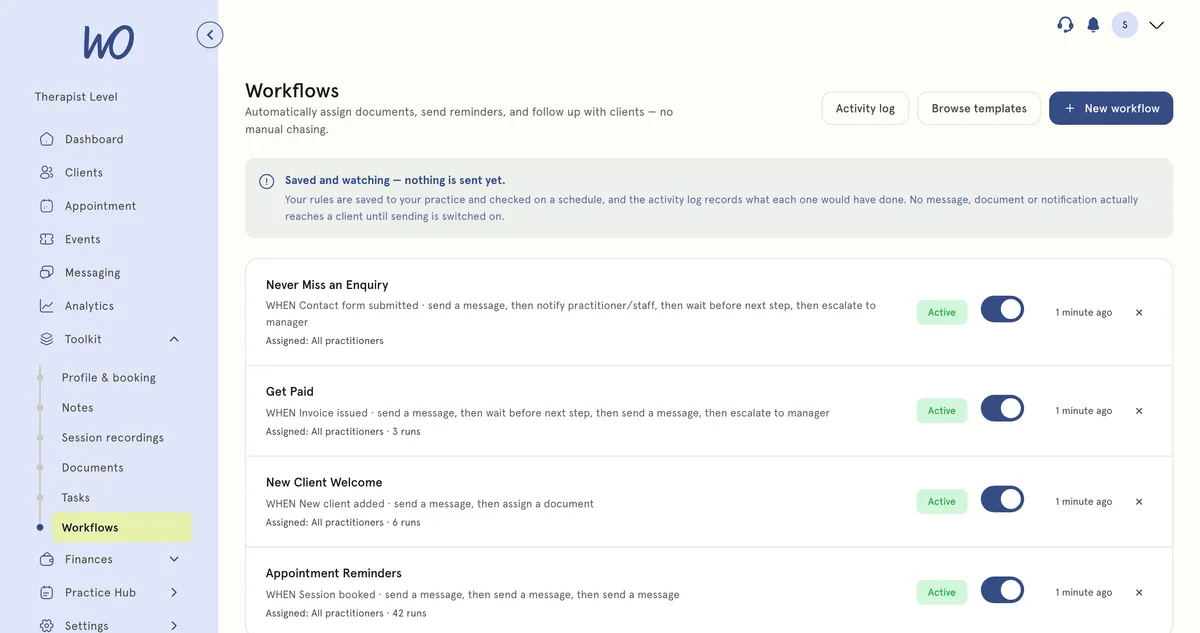
The rest is plain automation: a reminder 24 hours before, a chaser when an invoice is overdue, a nudge three days after a session. Each is a switch you control, and every text lands in a log you can export.
What actually sends on its own today
Each is a setting rather than a rule you build. Emails are on from the start; texts begin when you switch SMS on. Nothing here is AI — they're reliable because they're simple. Try switching SMS on.
Email 24 and 2 hours before EMAIL On
SMS at the times you choose SMS Waiting for SMS
As soon as a session is booked EMAIL On
After a session, a cancellation, or a quiet spell SMS Waiting for SMS
With late fees accrued if you use them EMAIL On
When a form has been sitting unsigned EMAIL On
Marked automatically if no MyWellOps video call happened STATUS On
Reminders that respect the rules
SMS to people who hold health data is tightly regulated, so the parts that are easy to get wrong are handled rather than left to you to remember.
Every message carries an opt-out, appended automatically.
A client who replies STOP is blocked from future sends immediately.
A small balance topped up from your card — never a post-paid bill.
Off by default. Nothing sends until you turn it on.
How we help wellness professionals grow
Cut from admin a year — a full month of work back.
Saved a year by replacing booking, calendar and notes tools.
Saved on billing every month.
Of practitioners say setup is simple — no technical skills needed.
Switch it on, one piece at a time
Emails are on from the start. Turn on the rest as you want it.
Appointment reminders by email, and by SMS at the times you choose.
With consent, sessions are transcribed and a draft note is written for you to review.
Rebook nudges, overdue chasers and follow-ups — for now they log what they would send.
Every text sent, to whom and when, in an activity log you can export.
Only the admin, handled
The AI drafts; you decide. The automations send; you see the log. Clinical judgement stays with you.
Real practitioners. Real results.
“The coaching session changed how I view my practice. I've increased my revenue by 30% while working fewer hours.”
Individual result. Outcomes vary by practice.Psychotherapist, UK
“Finally, a system that doesn't feel like it's designed for a hospital. It's clean, fast, and my clients love it.”
Counsellor, SA
“The GDPR compliance features take a huge weight off my shoulders. I can focus on my patients again.”
Clinical Psychologist
Frequently asked questions
Something else? Book a 20-minute demo.
It records the session with consent, produces a speaker-separated transcript, and drafts a structured note in clinical sections. You review, edit and save it — nothing reaches the client's record until you do. It is a paid add-on, priced per month on top of your plan.
Explore more of MyWellOps
One platform, so the next thing you need is already in it.
Launch a practice site in minutes→ Booking Widget
Take bookings on your existing site→ Smart Calendar
Scheduling without the back-and-forth→ Retreats & Events
Sell places on events, retreats and workshops→ Telehealth
See clients anywhere, instantly→ Notes
Write them yourself, find them fast→
See it on the shape of your own practice
Book a short walkthrough and we'll set up your services, calendar and booking page with you — so you leave with a practice that already works.