
Your notes, written your way
Write the session up in your own words, in the client's record — private to you, and findable again in seconds.
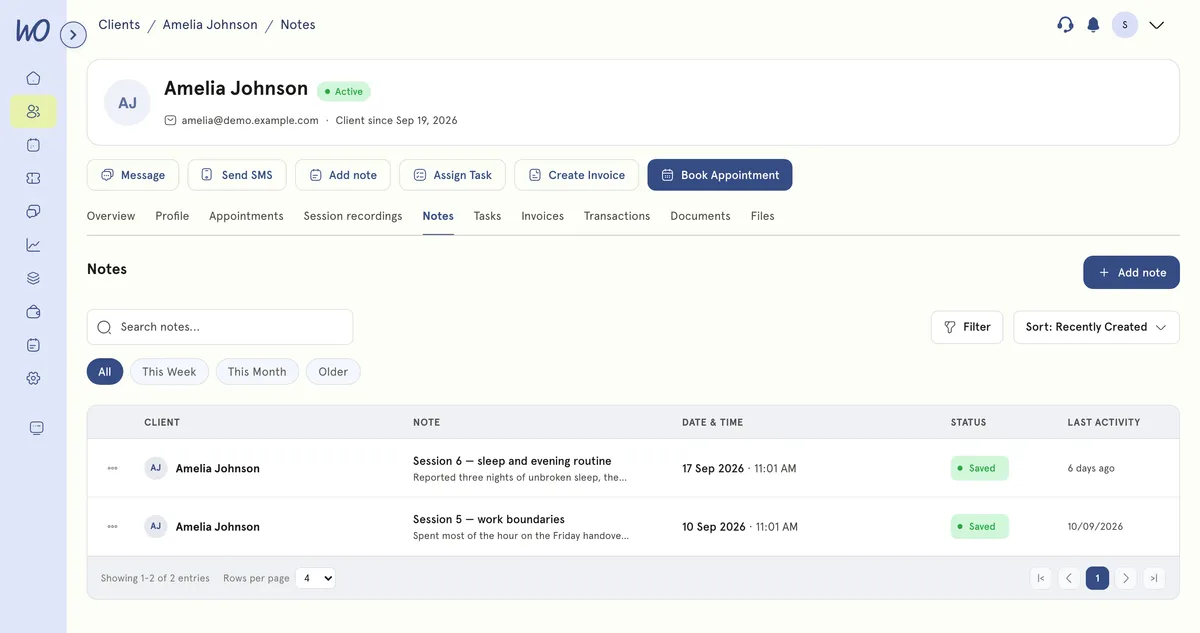
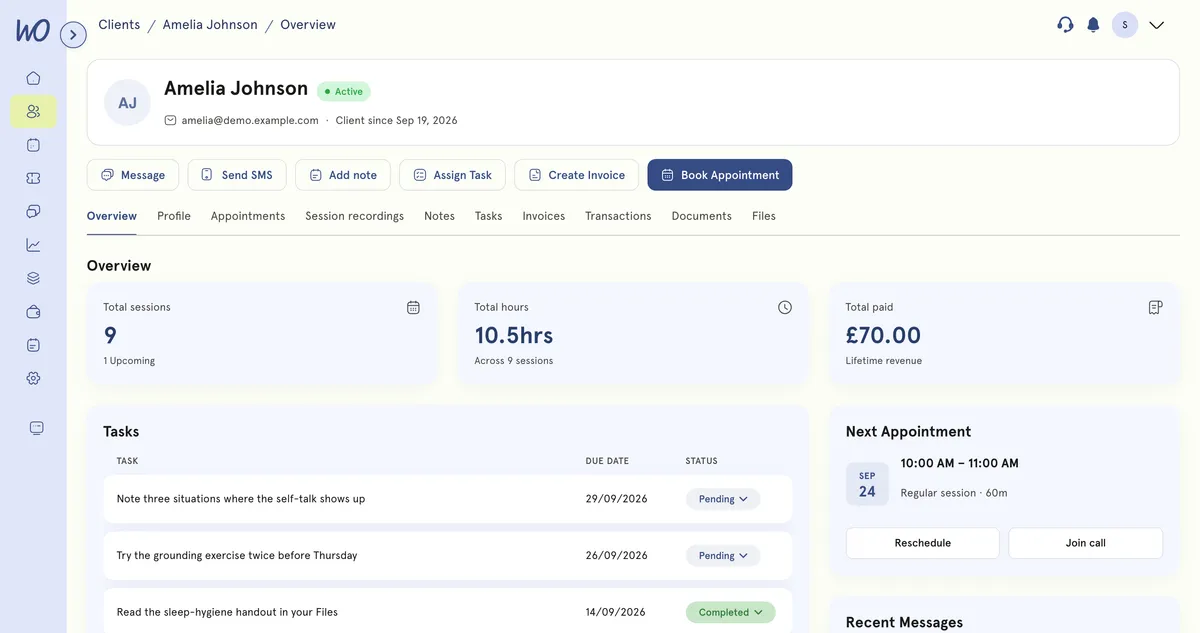
Write it in the client’s record, not in a separate app
Every client has a Notes tab beside their appointments, tasks, invoices and files. Open the client you're with, write, and it saves where it belongs — on their Notes tab.
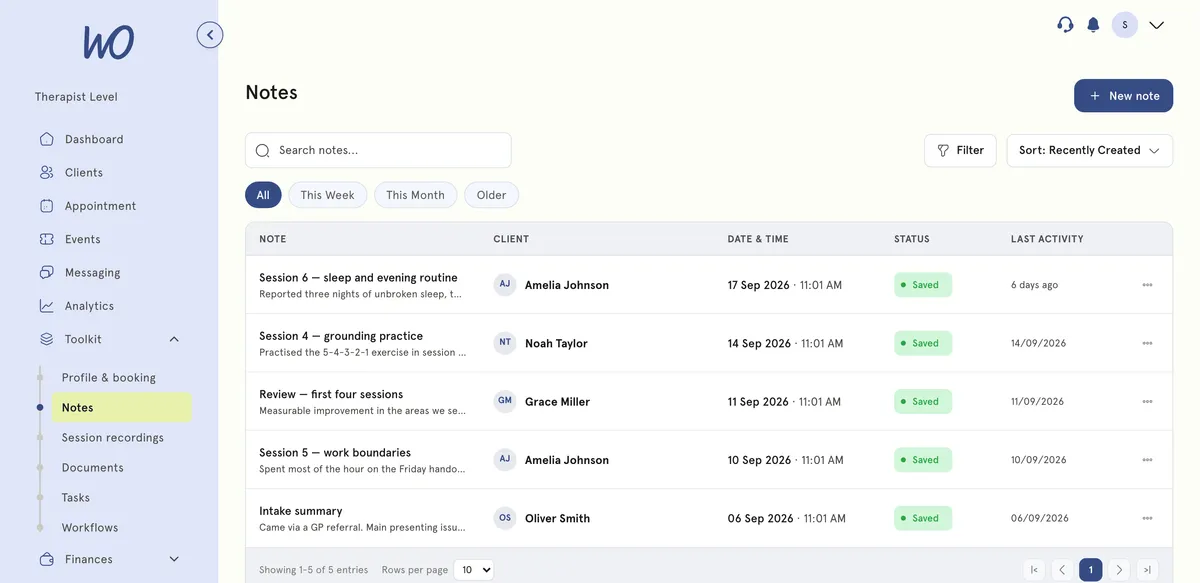
Notes across every client, one search
The all-notes view lists the notes you write there, for every client, newest first. Search covers client names, titles and the note text itself, so a half-remembered phrase is enough.
A blank page, an AI draft, or a template
Find any note, across every client
Search runs across client names, titles and the notes themselves, so a half-remembered phrase is enough. Try “sleep” or “review”.
Review on the 13th is the big worry. Try grounding before meetings.
Sleep improving. GAD-7 11. Agreed to role-play a manager conversation.
Walk in already briefed
When a video session starts, the last session sits beside the call — your own note, the saved AI Notes summary, or both, labelled. No reading back through a record in the two minutes before a client arrives.
Or have the session written up for you
One is a blank page, the other is a first draft. Both land in the same client record.
Notes
AI Notes
How we help wellness professionals grow
Cut from admin a year — a full month of work back.
Saved a year by replacing booking, calendar and notes tools.
Saved on billing every month.
Of practitioners say setup is simple — no technical skills needed.
Your first note in a minute
No setup — notes live in the client record you already have.
Every client has a Notes tab, next to their appointments, files and invoices.
Freeform, from a template, or start from an AI draft after a recorded session.
Private to you, in the client record. Clients never see notes from their portal.
Search the all-notes view by client, title or note text.
Real practitioners. Real results.
“The coaching session changed how I view my practice. I've increased my revenue by 30% while working fewer hours.”
Individual result. Outcomes vary by practice.Psychotherapist, UK
“Finally, a system that doesn't feel like it's designed for a hospital. It's clean, fast, and my clients love it.”
Counsellor, SA
“The GDPR compliance features take a huge weight off my shoulders. I can focus on my patients again.”
Clinical Psychologist
Frequently asked questions
Something else? Book a 20-minute demo.
Yes. Notes are written and stored directly in the client’s record — structured, searchable, and private.
Explore more of MyWellOps
One platform, so the next thing you need is already in it.
Write it once. Find it always.
Start free. Notes are included on every plan.
See it on the shape of your own practice
Book a short walkthrough and we'll set up your services, calendar and booking page with you — so you leave with a practice that already works.