
227 templates, or write your own with help
Intake forms, consent, contracts and letters — pick a template, make it yours, send it to your client and get it back signed.
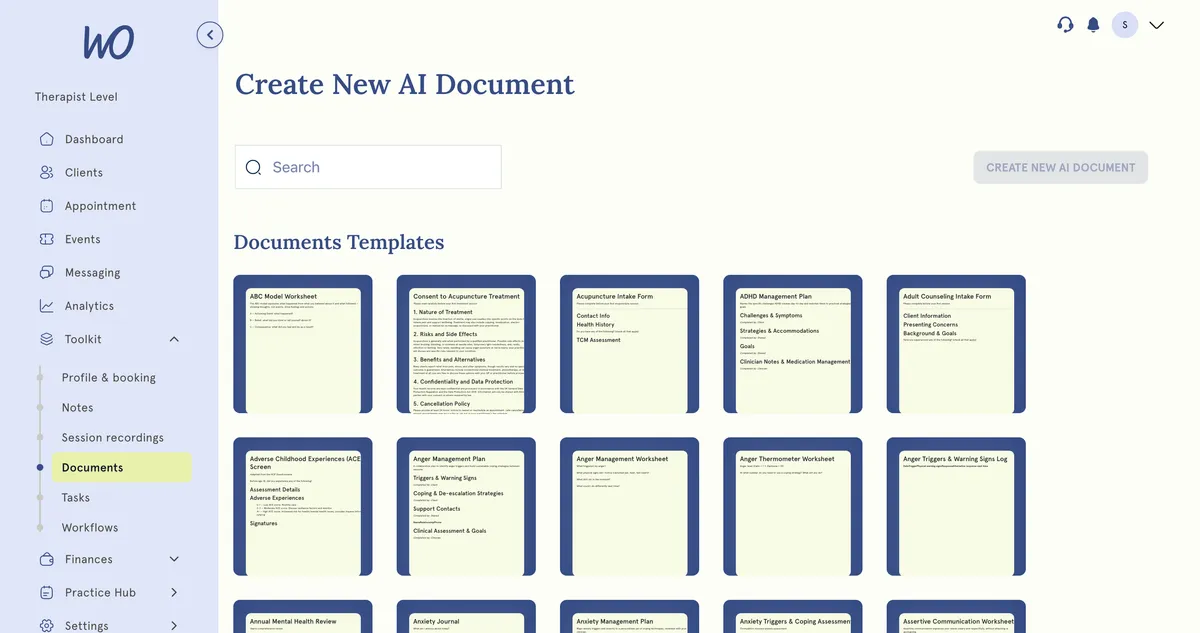
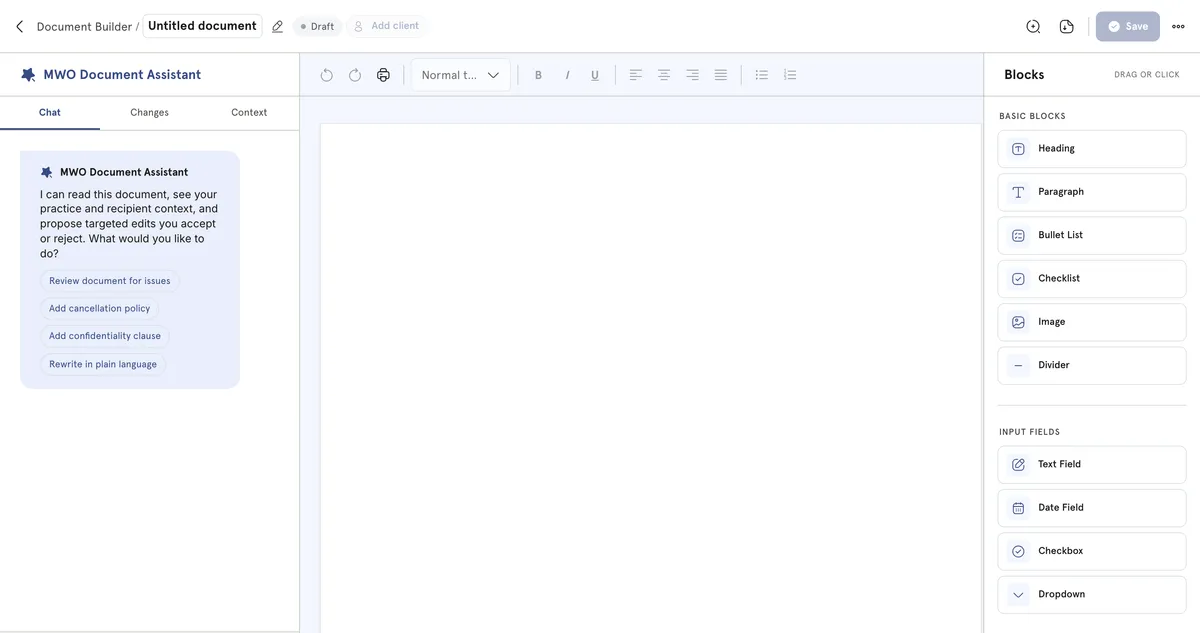
Describe the document. Edit the draft.
Tell the AI assistant what you need — an intake form for couples work, a letter to a GP — and edit the draft into your own words. Save it and it joins your library beside the 227 built-in templates.
Sent in a click, back before the session
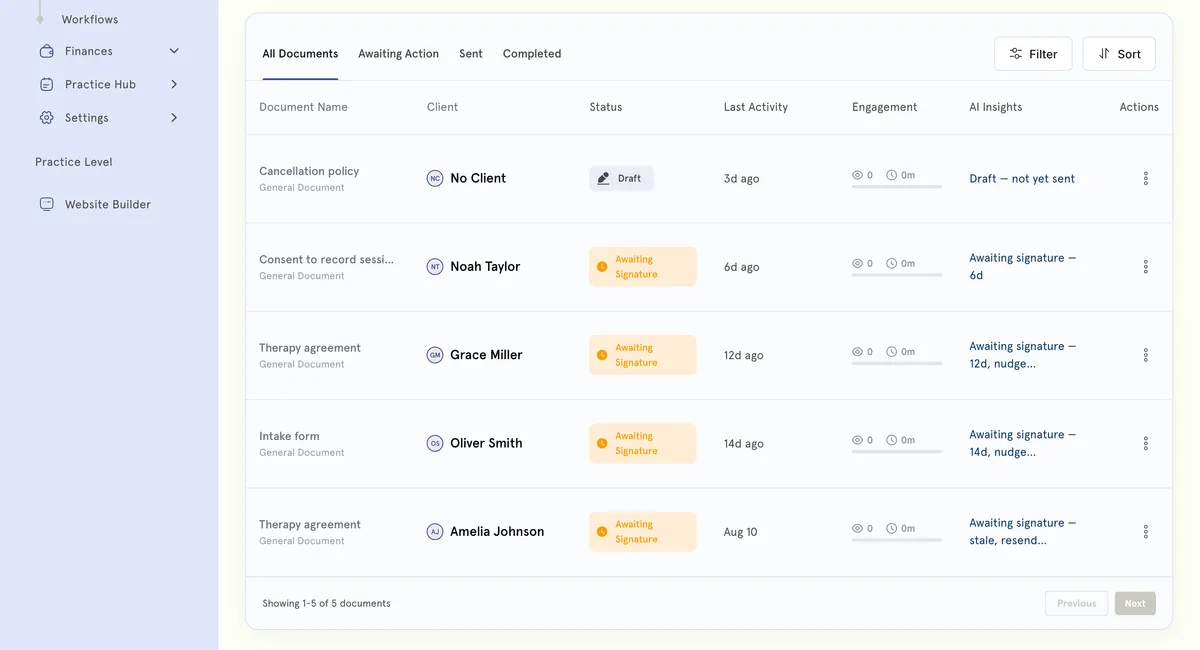
Send a form from the client's record and they get an email link to it. They sign in their portal; the completed document lands in their record with a status you can see at a glance.
An assistant that proposes, and you decide
It reads the document and your practice context, then proposes targeted edits you accept or reject one at a time. It never rewrites your paperwork behind your back — try it.
Therapy agreement
Sessions are 50 minutes, usually weekly. We will review how things are going every six sessions.
All information disclosed within sessions shall be held in strict confidence save where disclosure is required by law or where there exists a risk of serious harm.
Each session is £70, payable at the time of booking.
Your practice settings say 24 hours’ notice — add a clause that matches.
The current wording reads like a contract. Simpler text, same meaning.
Recipient books online sessions — say how video sessions work.
Stored where the client already is
A signed document doesn't go into a folder you have to remember. It sits on the client's record and in their own portal, so neither of you has to ask.
How we help wellness professionals grow
Cut from admin a year — a full month of work back.
Saved a year by replacing booking, calendar and notes tools.
Saved on billing every month.
Of practitioners say setup is simple — no technical skills needed.
From template to signed in four steps
You can send your first intake form on onboarding day.
Intake forms, consent, contracts, GDPR notices — or write your own with help.
Edit any question, add your logo and wording, and save it as your own template.
Select Send to Client; they get an email link and signature reminders go out on their own.
Completed forms and signatures land in the client record — no printing, no scanning.
The paperwork, handled
Templates written, signatures chased for you, documents filed. You read them.
Real practitioners. Real results.
“The coaching session changed how I view my practice. I've increased my revenue by 30% while working fewer hours.”
Individual result. Outcomes vary by practice.Psychotherapist, UK
“Finally, a system that doesn't feel like it's designed for a hospital. It's clean, fast, and my clients love it.”
Counsellor, SA
“The GDPR compliance features take a huge weight off my shoulders. I can focus on my patients again.”
Clinical Psychologist
Frequently asked questions
Something else? Book a 20-minute demo.
No. MyWellOps ships with 227 ready-made templates covering intake, consent, assessment, treatment planning, session notes, discharge and client worksheets — including the PHQ-9, GAD-7 and ACE screen. Send them as they are, or edit them and save your own versions.
Explore more of MyWellOps
One platform, so the next thing you need is already in it.
Send the form. Get it back signed.
Start free. Every template is included.
See it on the shape of your own practice
Book a short walkthrough and we'll set up your services, calendar and booking page with you — so you leave with a practice that already works.