
Your clients get their own account, not an email thread
They book, sign, pay and message from one place. You decide which files they can see — and the admin stops landing in your inbox.
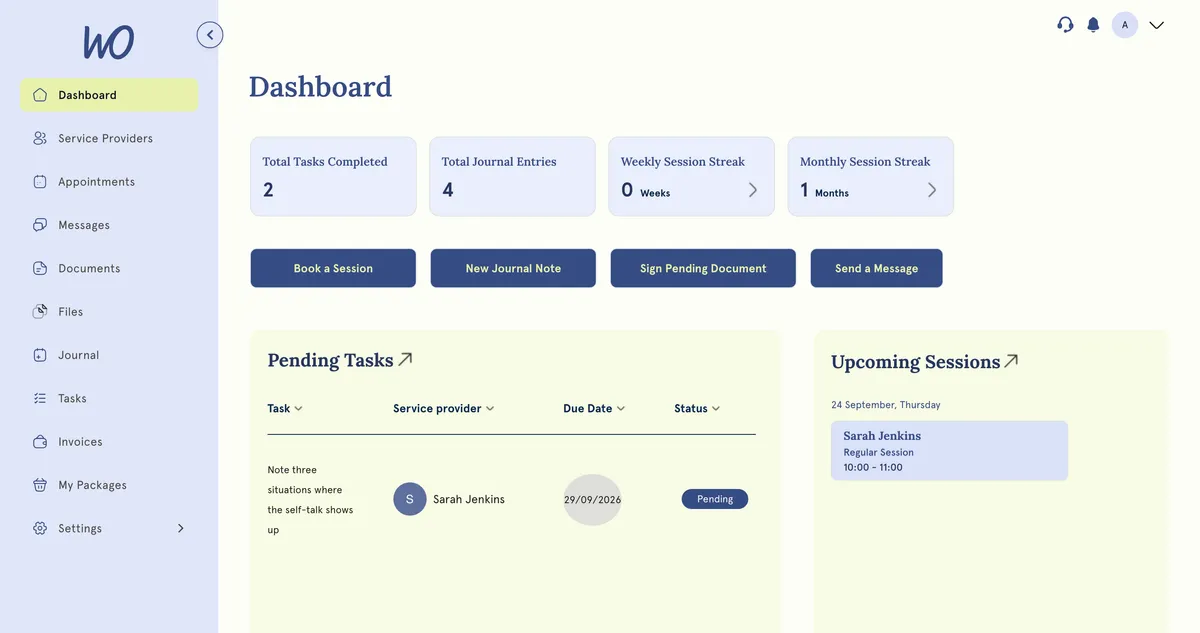
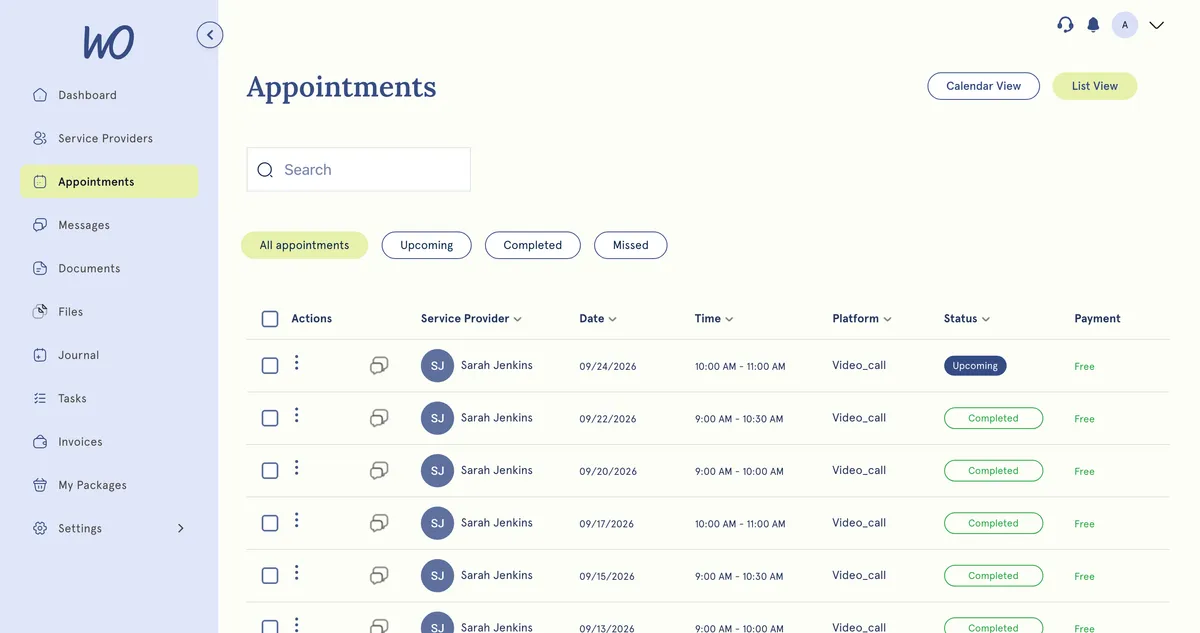
They book themselves
Every session, upcoming and past, in one list. Clients book the next one and join video calls from the same page.
Sign the form, pay the invoice, no chasing
Intake forms and agreements wait for a signature in their Documents tab. Invoices sit in theirs with a Pay button. Both land back in the client record the moment they're done.
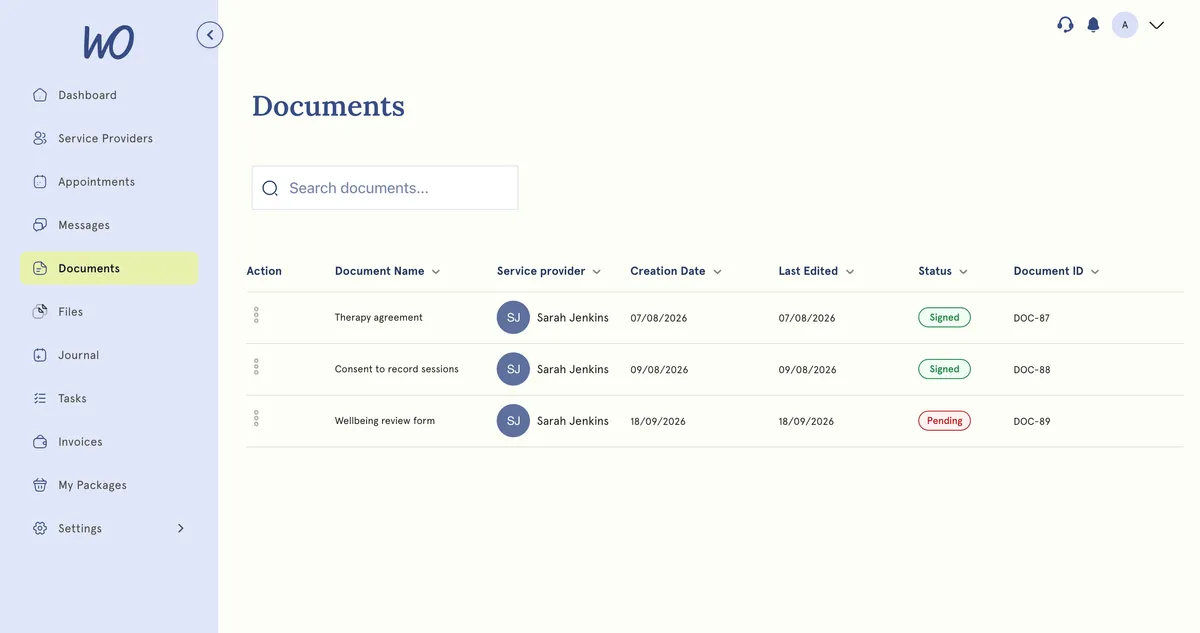
You decide what each client sees
Not everything in a record is for the client. Visibility is set per file, so working notes stay private while the things they need are one click away. Change your mind any time.
Storage you can actually see
Metered and visible rather than mysterious. A usage bar and breakdown in Settings show exactly what's being used, so limits never arrive as a surprise.
Their portal opens with their first booking
You set the rules once; clients get their own space.
Booked · invite sentInvited
A welcome email invites them to their portal — no separate sign-up to chase.
Files stay private until you switch sharing on, one file at a time.
Appointments, invoices, forms and any files you’ve chosen to share. Never your notes.
Payments, bookings and forms happen in their portal, not in your inbox.
The inbox admin, handled by the client
Most of what reaches your inbox is a client who couldn't get at something. In the portal, they can.
Real practitioners. Real results.
“The coaching session changed how I view my practice. I've increased my revenue by 30% while working fewer hours.”
Individual result. Outcomes vary by practice.Psychotherapist, UK
“Finally, a system that doesn't feel like it's designed for a hospital. It's clean, fast, and my clients love it.”
Counsellor, SA
“The GDPR compliance features take a huge weight off my shoulders. I can focus on my patients again.”
Clinical Psychologist
Frequently asked questions
Something else? Book a 20-minute demo.
Inside, yes: once a client signs in, the portal shows your logo and the colour theme you choose in Practice Hub. The sign-in screen itself still carries MyWellOps branding — a fully branded sign-in page isn't available yet, and we would rather say so than let you find out from a client.
Explore more of MyWellOps
One platform, so the next thing you need is already in it.
Give clients their own space.
Start free. The portal is on from the first booking.
See it on the shape of your own practice
Book a short walkthrough and we'll set up your services, calendar and booking page with you — so you leave with a practice that already works.