
Set up a follow-up once. It’s checked for every client.
Rebook nudges, overdue chasers, welcome sequences — a trigger, a wait, an action. Start from a ready-made one or build your own.
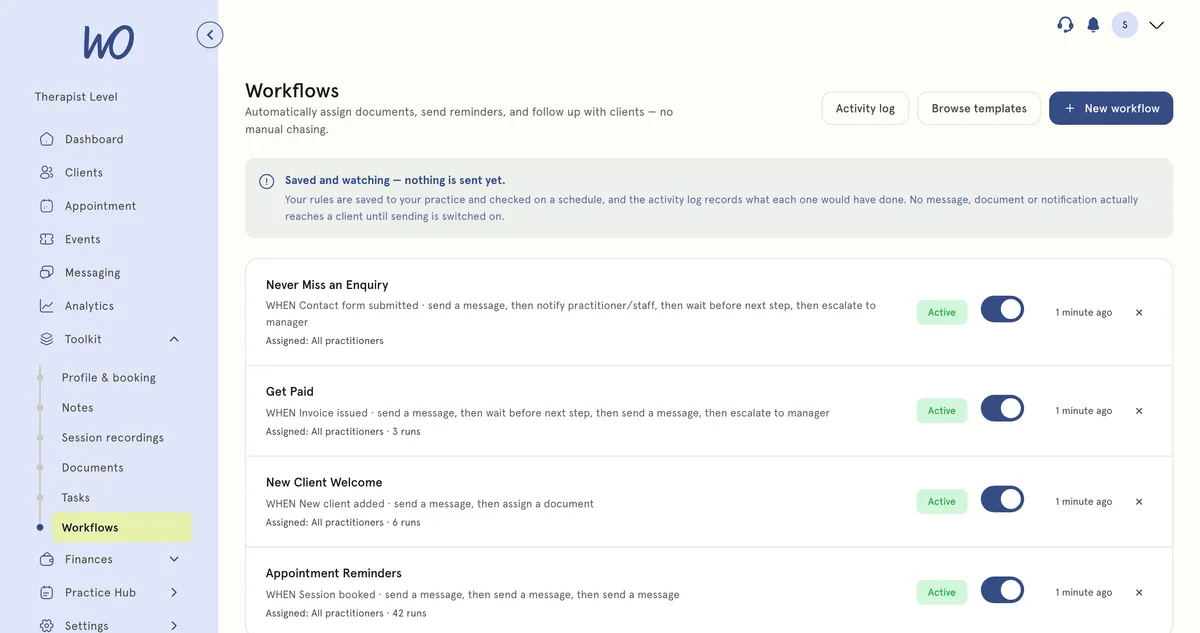
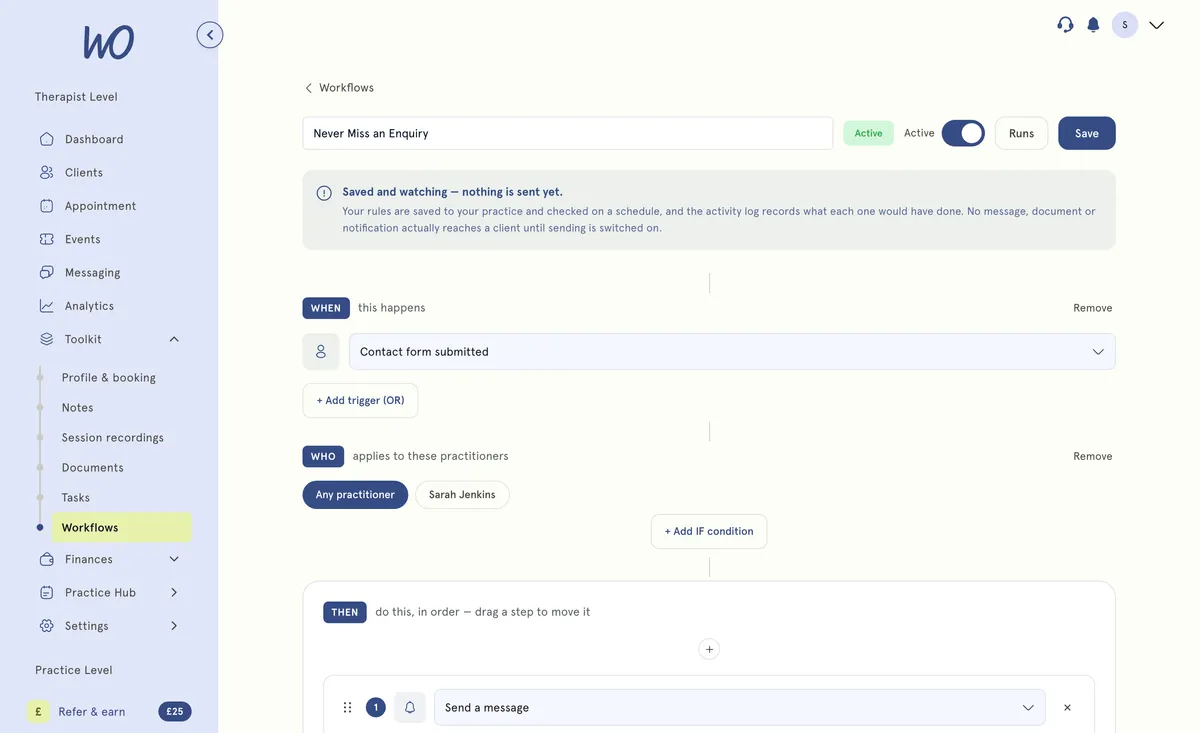
A trigger, a wait, an action — that’s a workflow
Pick what starts it (a session ends, an invoice goes overdue, a new client signs up), how long to wait, and what to do — send a message, create a task, notify you. Keep it as a Draft until you’re ready to turn it on.
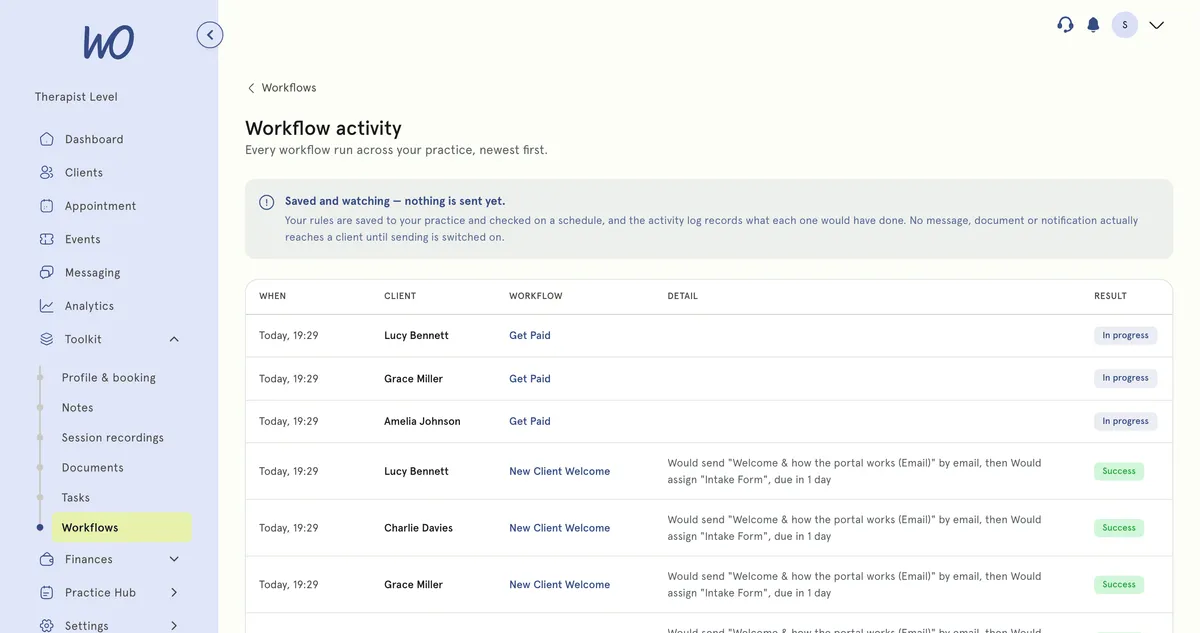
Every run, logged — so you always know what it would have sent
The activity log shows each time a workflow ran: for which client, what it would have done, and the result. Pause a workflow and it stops picking up new events; nothing is sent yet anyway.
Every workflow is three plain steps
No code and no flowcharts. If you can say the follow-up out loud, you can set it up.
A booking, a cancellation, an overdue invoice, a form that isn't back. You pick the one event.
Optional. Narrow it down so it only runs when it should — a first visit, a service, a tag.
Send a message, assign a form, notify someone — with a wait in between if you like.
19 workflows, already written
Grouped by where the client is in their journey. Pick one to read what it does, then change the wording and timing to suit you.
Build and switch on now. Sending is switched on next.
Until then, step 3 is recorded rather than sent — so you can check a rule is right before it ever reaches a client. Keep doing those follow-ups yourself for now.
The follow-ups, handled
Rebook nudges, overdue chasers, welcome sequences and win-backs, set up once — and every run is logged.
Real practitioners. Real results.
“The coaching session changed how I view my practice. I've increased my revenue by 30% while working fewer hours.”
Individual result. Outcomes vary by practice.Psychotherapist, UK
“Finally, a system that doesn't feel like it's designed for a hospital. It's clean, fast, and my clients love it.”
Counsellor, SA
“The GDPR compliance features take a huge weight off my shoulders. I can focus on my patients again.”
Clinical Psychologist
Frequently asked questions
Something else? Book a 20-minute demo.
Build them, switch them between Active, Paused and Draft, and watch them run — what you cannot do is rely on one to reach a client, because the send is not connected. Setting them up now is not wasted: the rules are kept, and the run history tells you whether the logic is right. Keep doing the follow-ups yourself until we say the sending is on.
Explore more of MyWellOps
One platform, so the next thing you need is already in it.
Set it once. It watches from then on.
Start free. The ready-made workflows are waiting.
See it on the shape of your own practice
Book a short walkthrough and we'll set up your services, calendar and booking page with you — so you leave with a practice that already works.