
Fewer no-shows. Fuller diary. No chasing.
Reminders before every appointment and nudges to rebook after one — sent from your practice name, with opt-outs handled for you.
For practices outside the UK
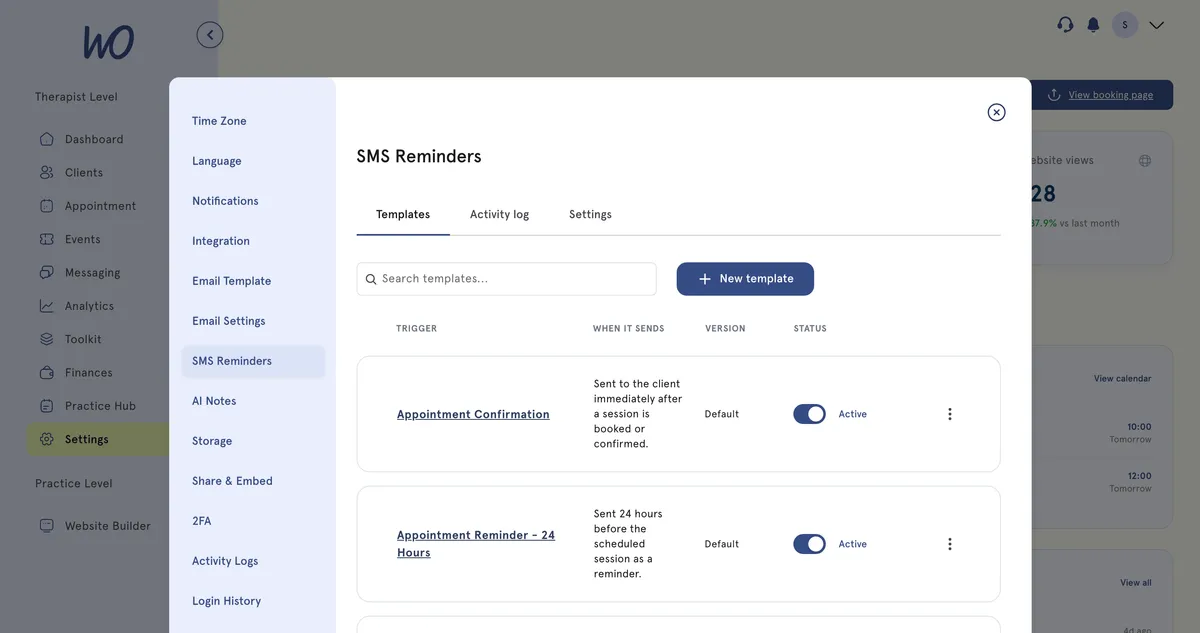
SMS reminders currently send to UK mobile numbers only. A client’s number from anywhere else is skipped, not charged. Your clients outside the UK can still get email reminders 24 hours and 2 hours before each appointment: they switch on Session Reminders in their notification settings.
One reminder, in your words, before every session
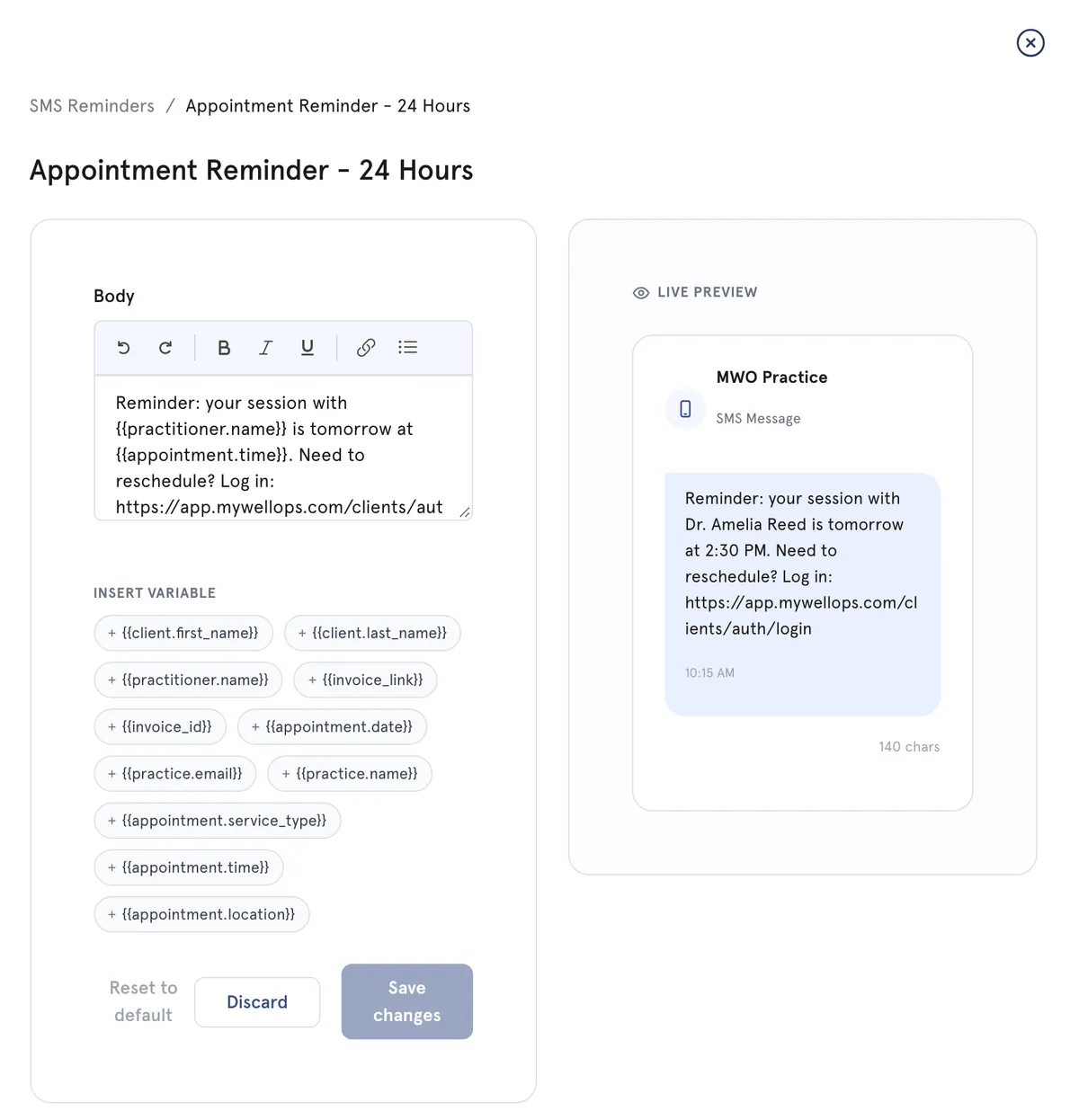
Edit the template once — with the client’s name, date and time dropped in — and it goes out before every appointment that follows. Off by default; nothing sends until you switch it on.
One reminder, in your words
Sent before every appointment that follows, from your practice name rather than a random number. Off by default — nothing sends until you turn it on. Edit it below.
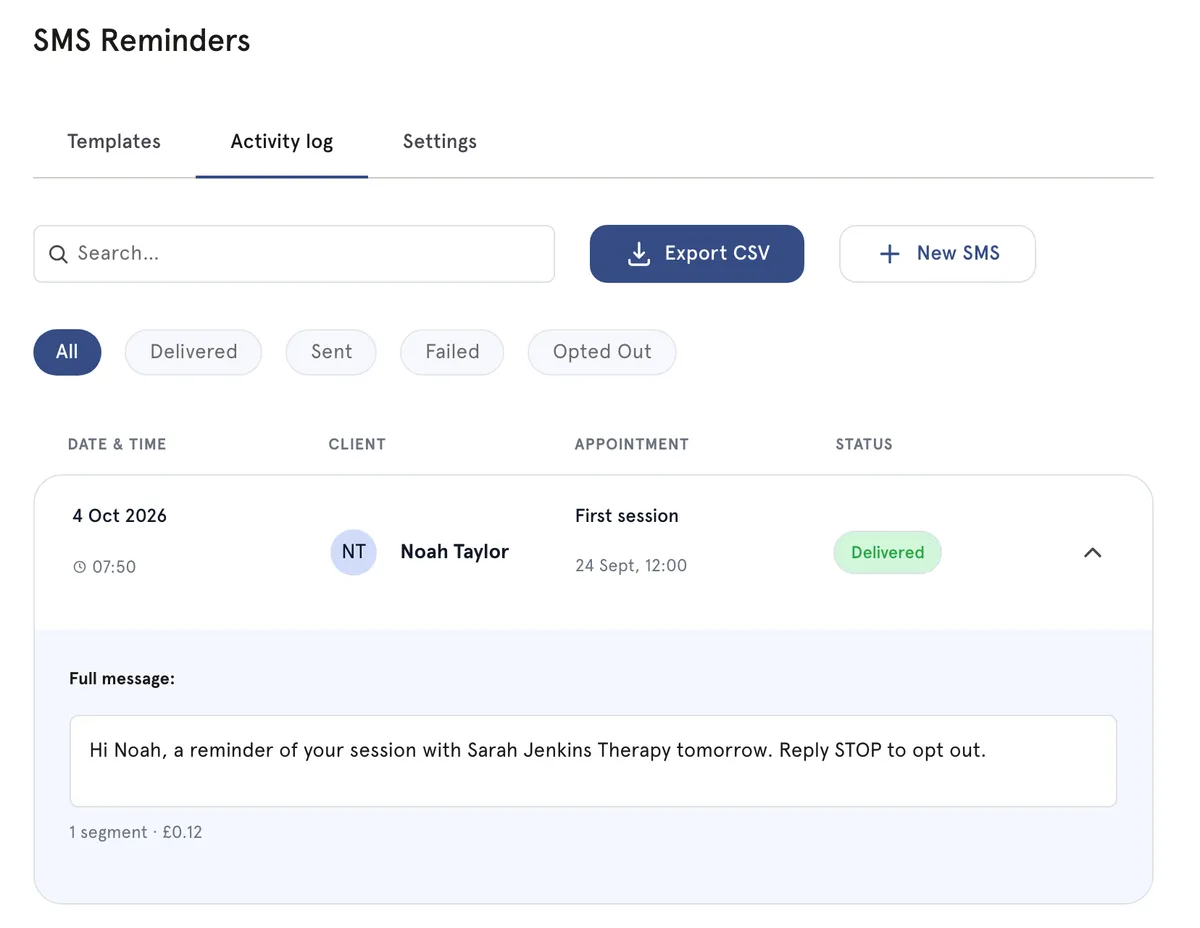
Attached to the appointment, not to a list
Each send is tied to the session it belongs to, so the log reads as a history rather than a blur of texts. Exportable if you need the record elsewhere.
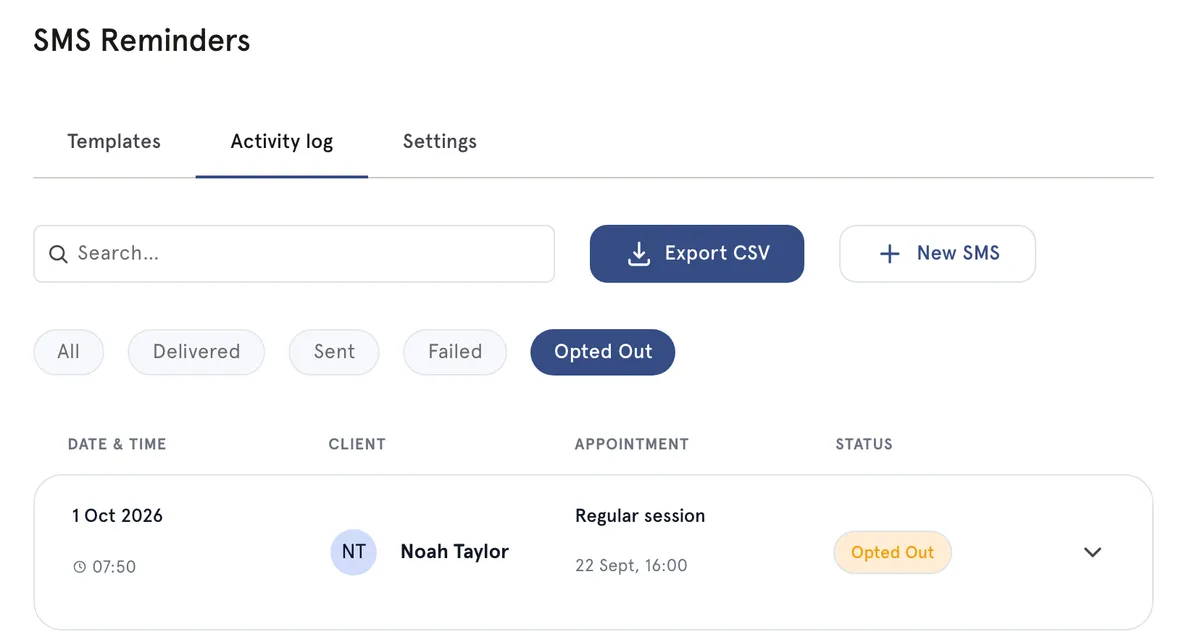
Opt-outs handled for you
SMS to people who hold health data is tightly regulated. The parts that are easy to get wrong aren't left to you to remember.
Prepaid, not post-paid
No surprise invoice. Sends draw on a small balance you've already paid.
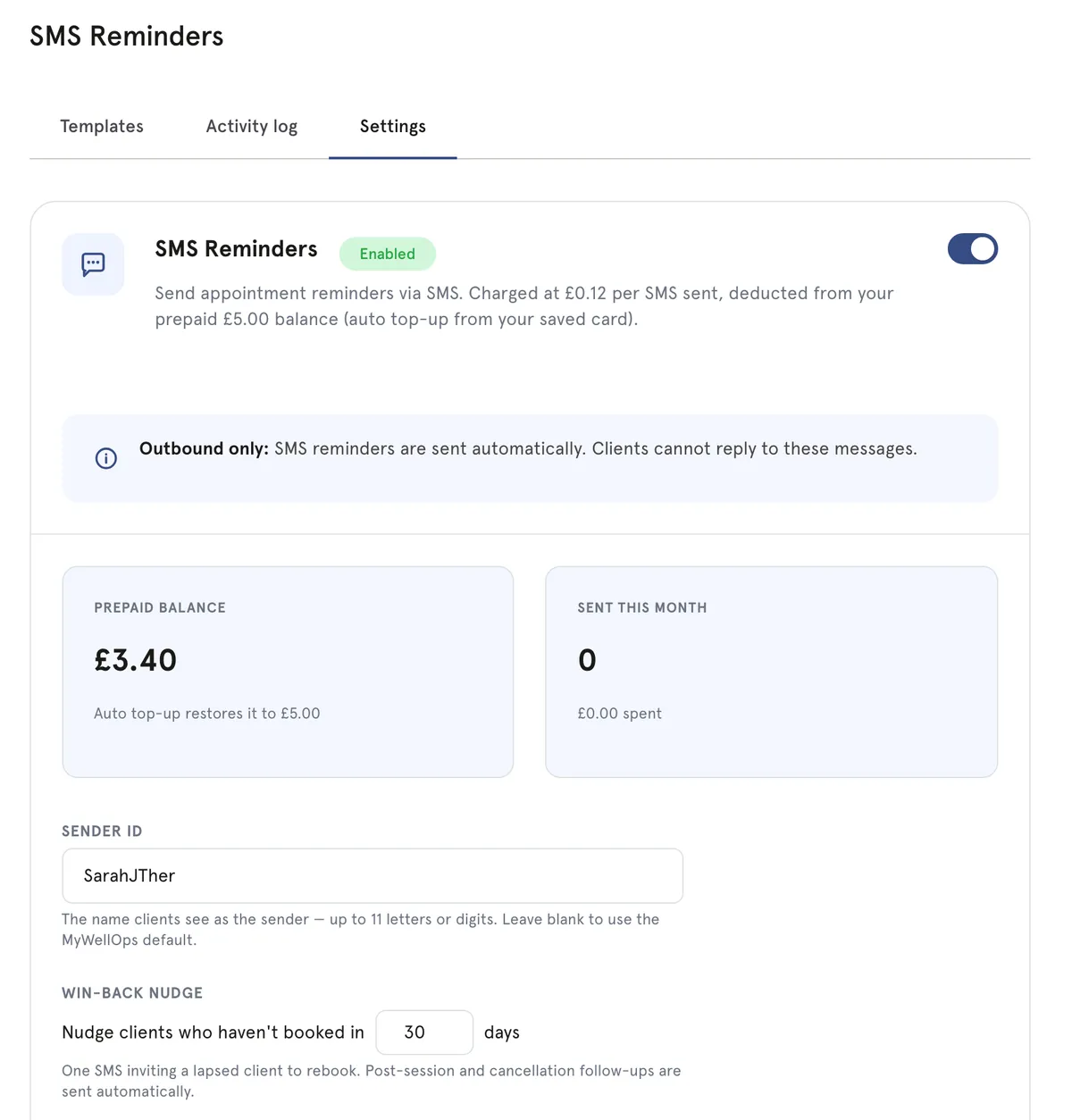
Live in five minutes
Reminders are off by default. Turn them on when you’re ready.
Up to 11 characters, so messages arrive from your practice, not a number.
Your words, with the client’s name, date and time dropped in.
Sent 24 hours and 2 hours before each appointment. Switch either one off.
Prepaid, not post-paid. It tops back up to £5 when it runs low.
The reminders, handled
Confirmations, reminders and rebook nudges send themselves. Opt-outs are recorded and checked before every send.
Real practitioners. Real results.
“The coaching session changed how I view my practice. I've increased my revenue by 30% while working fewer hours.”
Individual result. Outcomes vary by practice.Psychotherapist, UK
“Finally, a system that doesn't feel like it's designed for a hospital. It's clean, fast, and my clients love it.”
Counsellor, SA
“The GDPR compliance features take a huge weight off my shoulders. I can focus on my patients again.”
Clinical Psychologist
Frequently asked questions
Something else? Book a 20-minute demo.
Once you enable SMS and set your send times. Reminders are off by default — nothing goes out until you turn them on.
Explore more of MyWellOps
One platform, so the next thing you need is already in it.

Fewer no-shows. No chasing.
Start free. Switch reminders on when you’re ready.
See it on the shape of your own practice
Book a short walkthrough and we'll set up your services, calendar and booking page with you — so you leave with a practice that already works.