
Invoices that raise themselves. Clients who pay on time.
Every paid booking creates its invoice. Clients pay by card from it, the payment lands in your books, and you can see who still owes what without a spreadsheet.
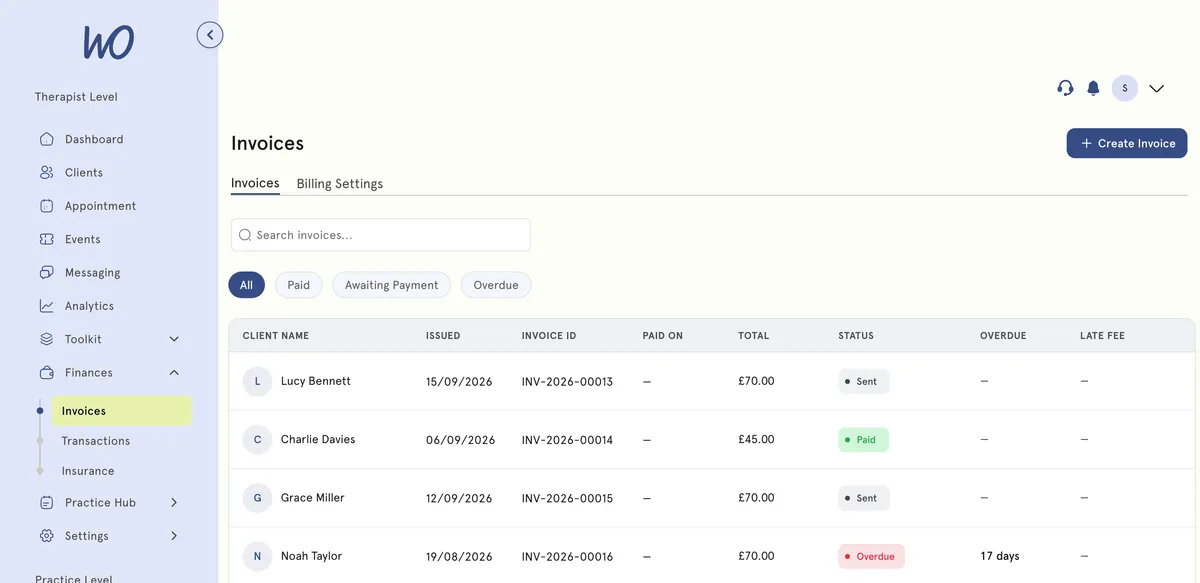
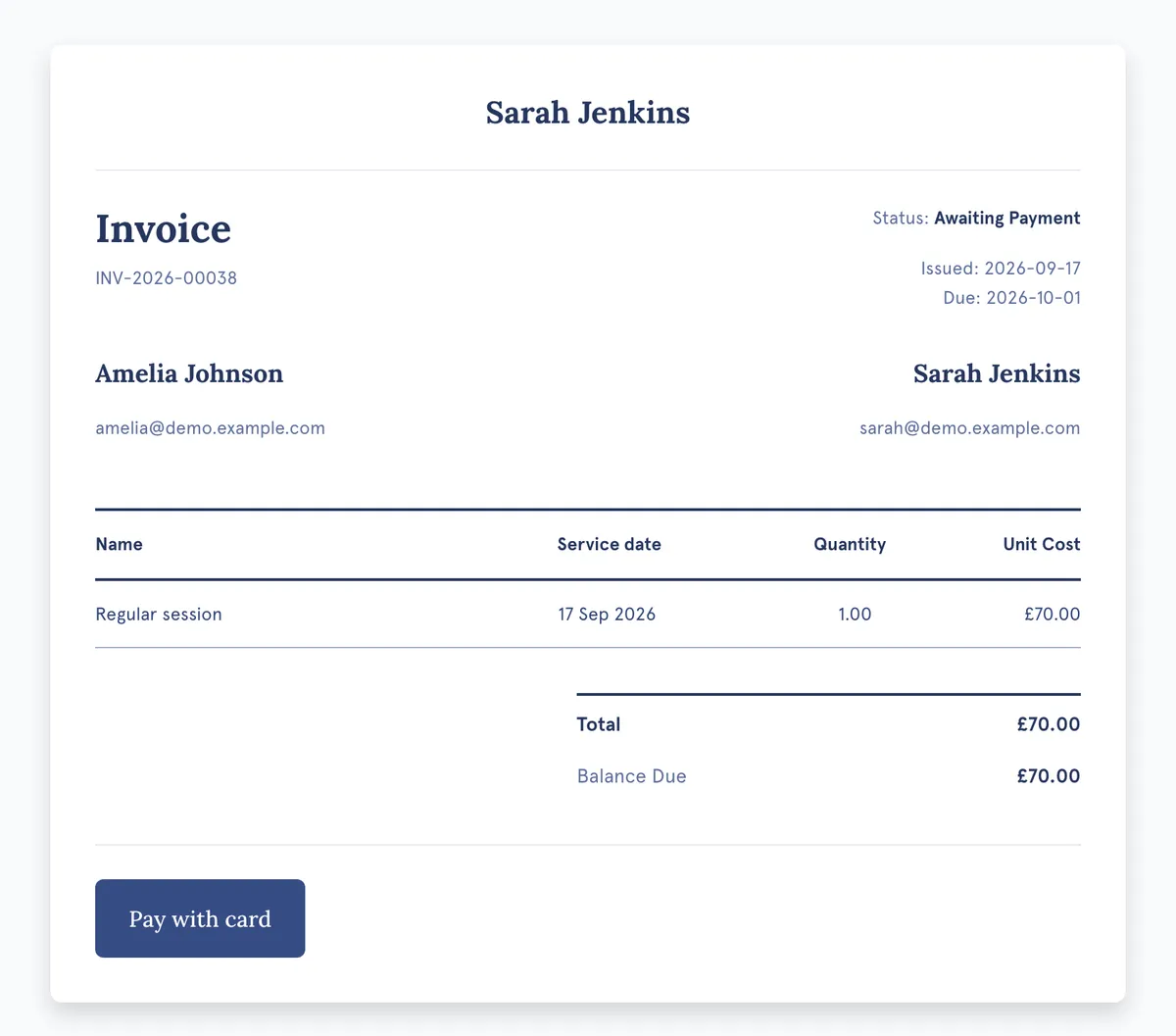
Clients pay in one tap, from the invoice
The invoice they receive has a Pay with card button. Funds go straight to your Stripe account, the invoice flips to Paid, and the transaction is logged — no separate payment link to send.
Know exactly where the money is
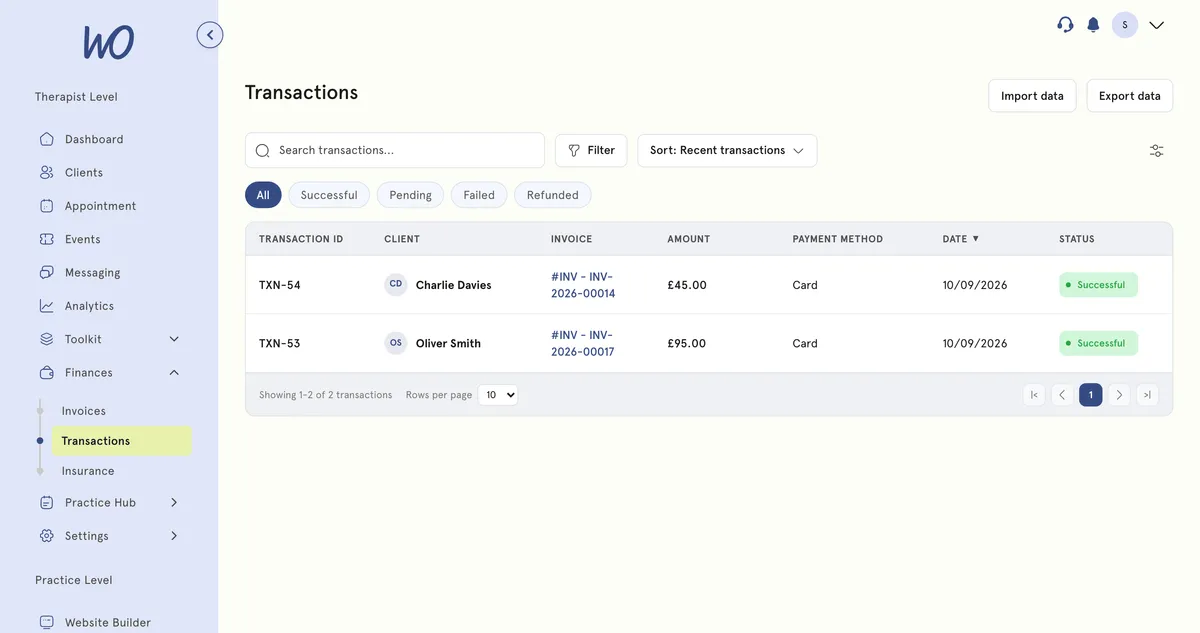
Every payment, refund and failed charge in one list, tied to its invoice and client. Connect your accounting software and each one is recorded there too — so reconciling means confirming matches, not keying invoices in.
Send the invoice without thinking about it
Every paid booking creates its invoice — wherever it came from. Payment terms, VAT and policies are set once and carried by every invoice after that. Change them below to see the invoice update.
GB 123 4567 89 · 20%
Invoices that reconcile in your accounting software
Every invoice you issue is created in your books too. When a client pays, the payment is recorded against it — so reconciling the bank feed becomes confirming a match, not keying invoices in at month end.
→ Invoice created in Xero12 Mar 10:02
→ Payment recorded against INV-1043 — shows as paid12 Mar 10:04
→ Credit note CN-018 created6 Mar 16:20
→ Voided in Xero too5 Mar 09:11
Set up once, paid every time
Connect Stripe on your onboarding call and invoices run themselves.
Payouts to your accountLive
One connection. Card payments switch on for every invoice and booking.
Payment terms, VAT number and the policy printed on every invoice — set once.
Every paid booking creates its invoice, wherever the booking came from.
Connect Xero, Sage, FreeAgent or Zoho Books and every invoice and payment syncs.
The billing admin, handled
Invoices raised, payments matched, overdue balances chased, books kept in step. You see the totals.
Real practitioners. Real results.
“The coaching session changed how I view my practice. I've increased my revenue by 30% while working fewer hours.”
Individual result. Outcomes vary by practice.Psychotherapist, UK
“Finally, a system that doesn't feel like it's designed for a hospital. It's clean, fast, and my clients love it.”
Counsellor, SA
“The GDPR compliance features take a huge weight off my shoulders. I can focus on my patients again.”
Clinical Psychologist
Frequently asked questions
Something else? Book a 20-minute demo.
Yes. When a client books a paid session — on your website, through your booking widget or in their portal — or you book it for them, the invoice is created for you. Bundles are invoiced when they are bought.
Explore more of MyWellOps
One platform, so the next thing you need is already in it.
Sell packages and memberships→ Insurance Support
Discounted indemnity cover on Pro→ Data & Insights
See your practice clearly→ Smart Calendar
Scheduling without the back-and-forth→ Retreats & Events
Sell places on events, retreats and workshops→ Client Portal
Their own space, your rules→
Get paid. Skip the chasing.
Start free. Connect Stripe on your onboarding call.
See it on the shape of your own practice
Book a short walkthrough and we'll set up your services, calendar and booking page with you — so you leave with a practice that already works.