
The work between sessions, finally visible
Homework, forms to sign, files to send — set as a task on the client, seen in their portal, ticked off when it’s done.
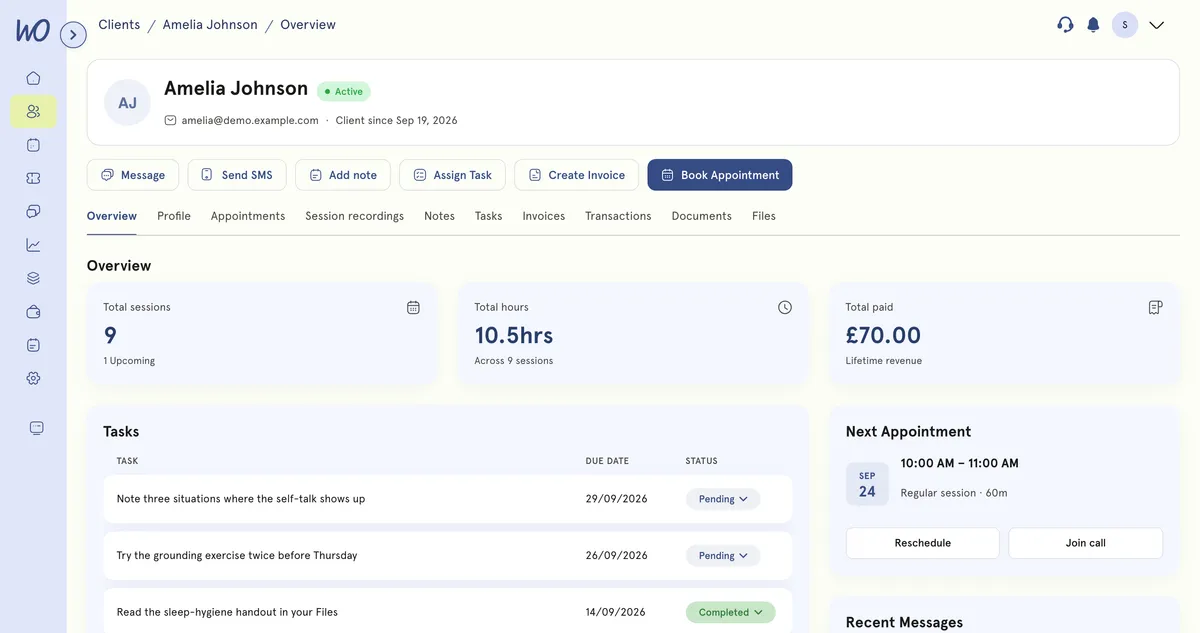
Tasks live on the client, not on a list somewhere else
Open the client and their tasks are right there — pending, overdue and completed — beside their sessions and notes. Add one from their record, the client list or an appointment.
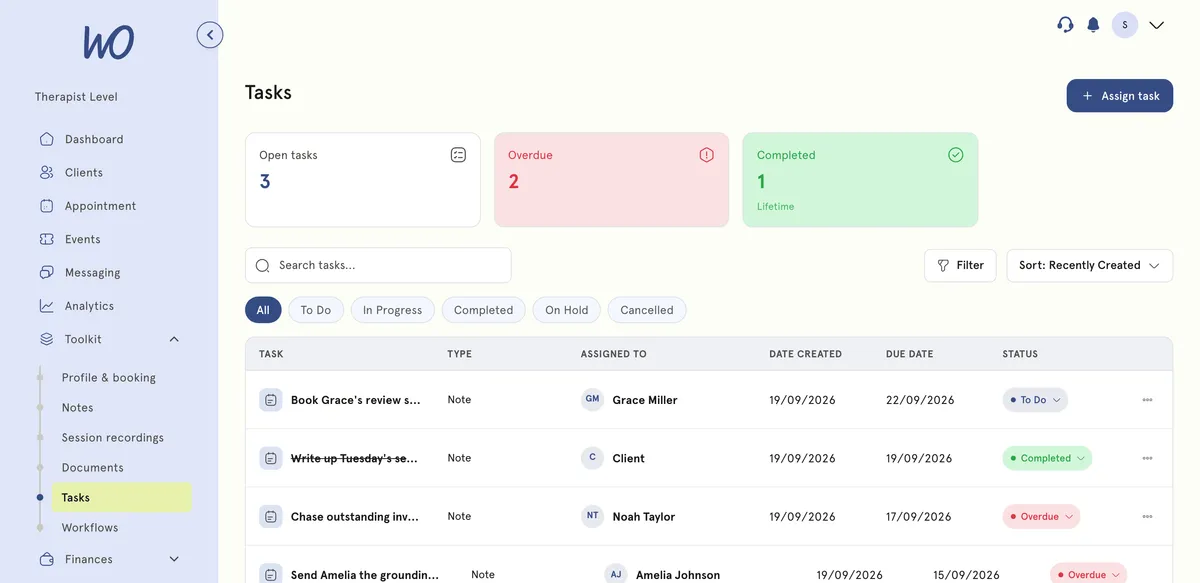
One board across every client
Everything you've assigned across your caseload. Overdue is worked out from the due date — never marked by hand — so the chase list writes itself.
Your client does it, from their own portal
They tick the steps, upload the file, open the form, and mark it done — and their progress shows on your board. They see their list and nothing else: never another client's, never your caseload. Tick a step on the phone.
See the client portal →Sarah Jenkins Therapy
A task in four steps
From the client record to a tick in their portal.
Add a task from their record — or from the Tasks board.
A due date, and optionally a form to sign or a file to read.
With the due date and the attachment, next to their appointments.
They mark it done; your board updates.
The follow-through, handled
Homework set, forms chased, files sent — visible to both of you, and checked off once.
Real practitioners. Real results.
“The coaching session changed how I view my practice. I've increased my revenue by 30% while working fewer hours.”
Individual result. Outcomes vary by practice.Psychotherapist, UK
“Finally, a system that doesn't feel like it's designed for a hospital. It's clean, fast, and my clients love it.”
Counsellor, SA
“The GDPR compliance features take a huge weight off my shoulders. I can focus on my patients again.”
Clinical Psychologist
Frequently asked questions
Something else? Book a 20-minute demo.
Yes. A client can tick individual checklist steps, upload a requested file, open and complete a questionnaire, and mark the whole task done — all from their own portal. Their progress shows on your board the next time you open it.
Explore more of MyWellOps
One platform, so the next thing you need is already in it.
See it on the shape of your own practice
Book a short walkthrough and we'll set up your services, calendar and booking page with you — so you leave with a practice that already works.