
Integrations
Works with the tools you already use
Your calendar, your card payments and your accounts — all talking to the same practice.
7-day free trial, card needed to startFree plan available afterwards
Built in
SMS, email and website forms come with your account
There is nothing to connect: no third-party login, no API key. Each one works from your practice and lands on the client’s record.
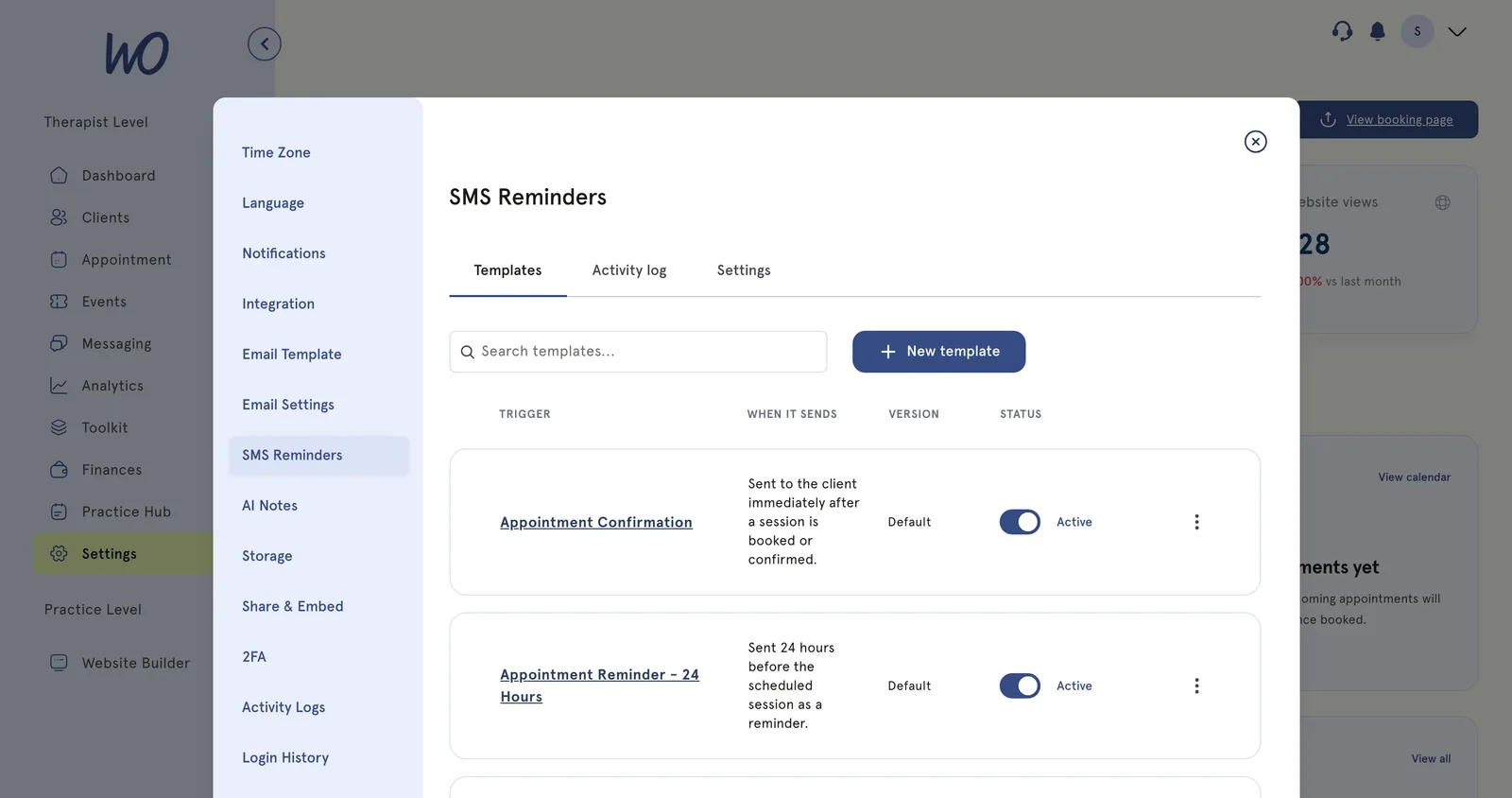
SMS
Confirmations, reminders and rebook nudges sent from your practice name. Outbound only, charged per message from a prepaid balance, with STOP replies handled for you.
About SMS reminders →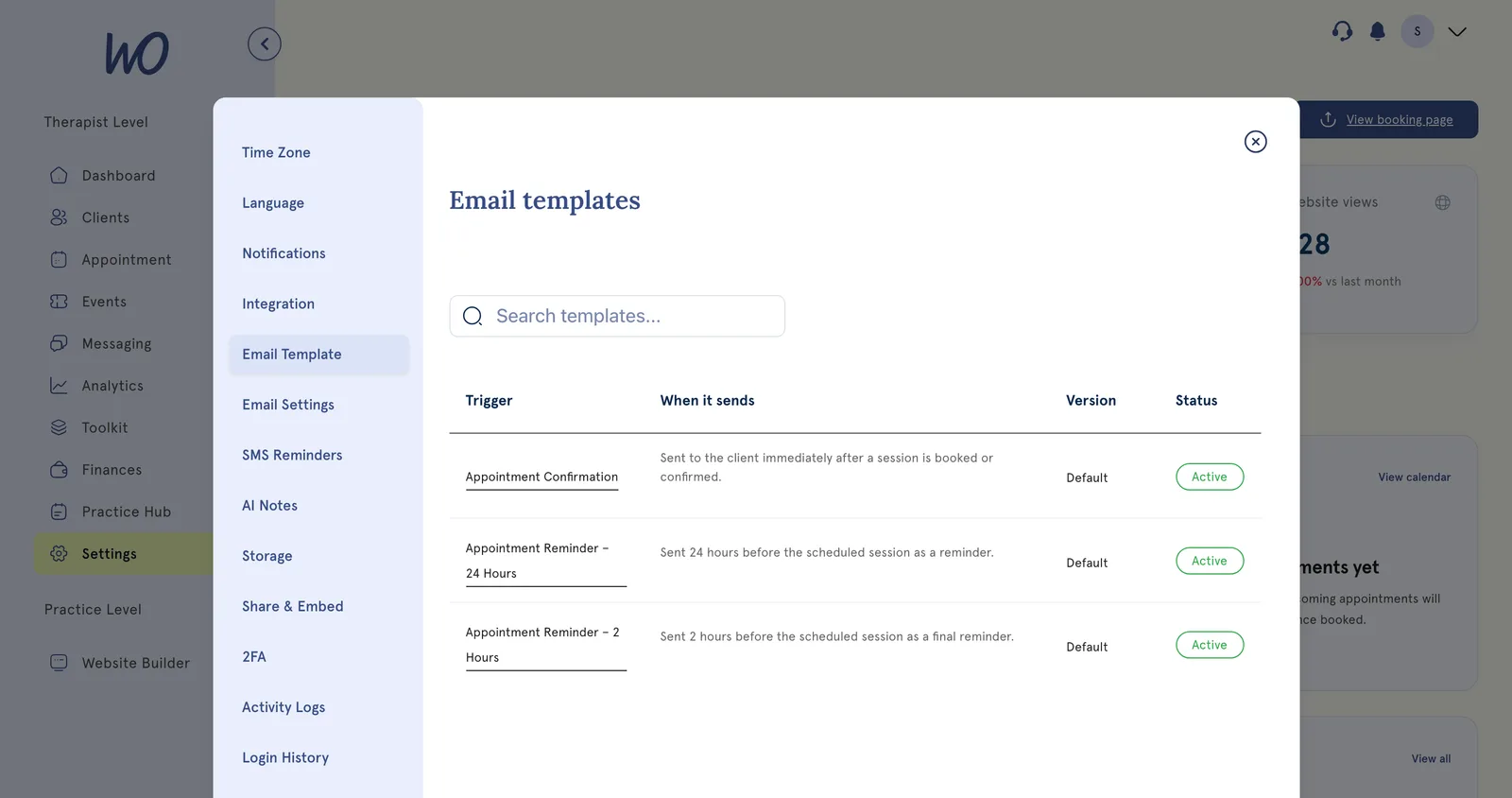
Email
Appointment confirmations and reminders from templates you can edit, each one switched on or off on its own.
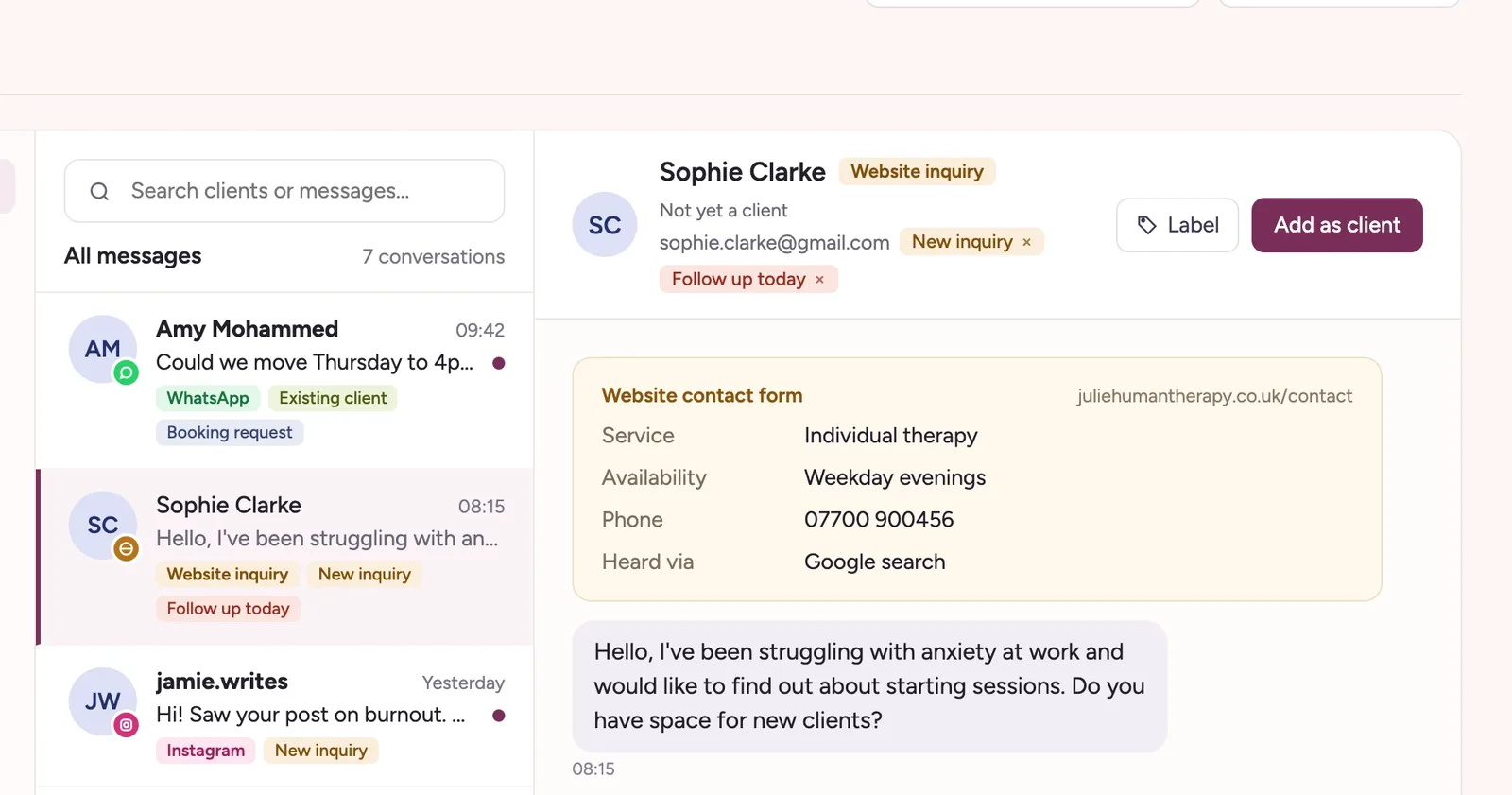
Website forms
The contact form on your MyWellOps website arrives in Messaging as a website inquiry, with the form’s answers at the top. If the sender is already a client it joins their conversation, and you reply by email.
About the website builder →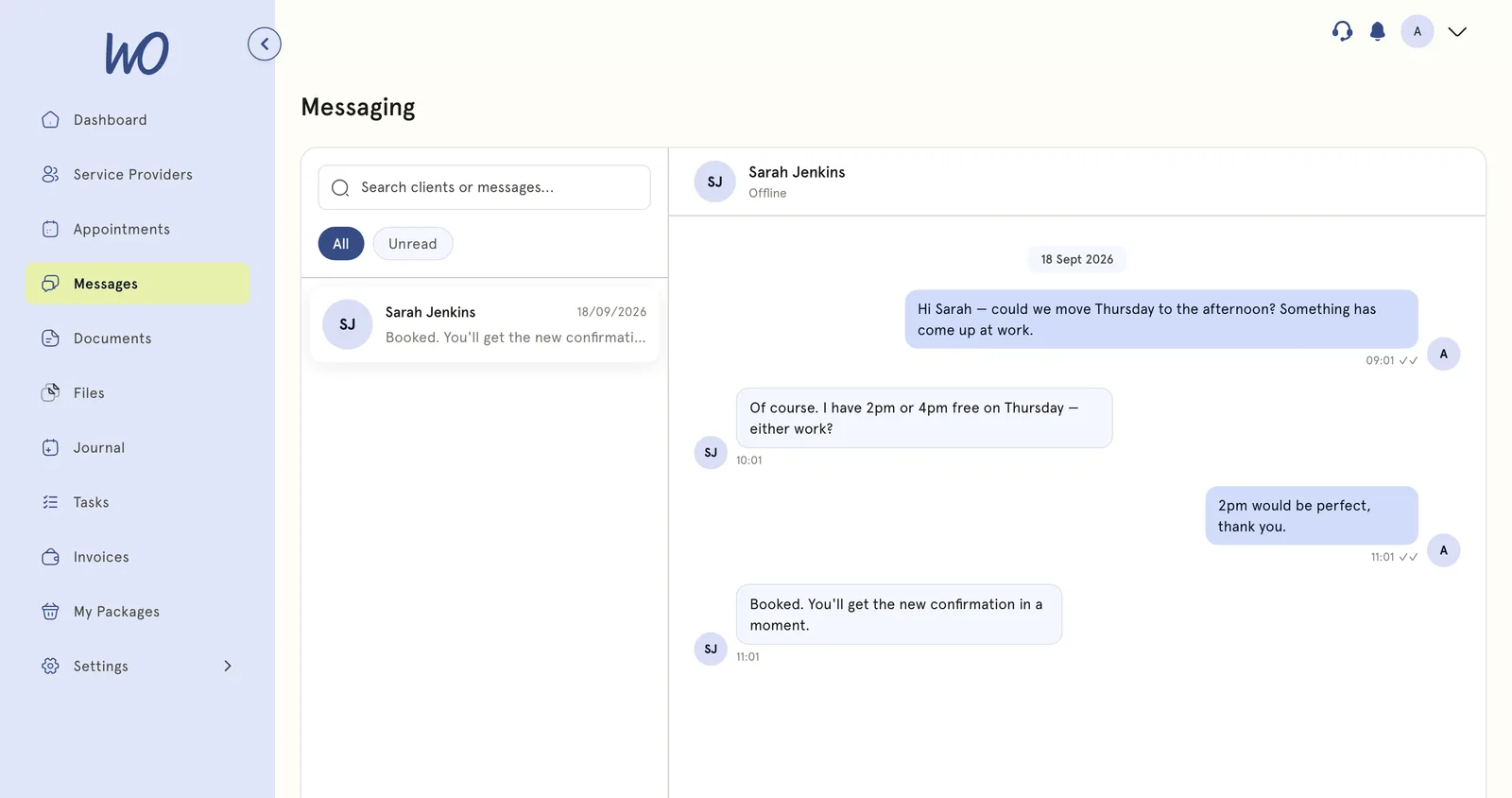
Client portal messages
Two-way chat inside the client portal, kept on the client’s record next to their appointments and notes.
About the client portal →
WhatsApp, Instagram and Facebook Messenger are in early access with selected practices.
 Google Calendar
 Outlook CalendarNot yet available
- ACApple CalendarNot yet available
 GmailNot yet available
 Stripe
 SumUpNot yet available
 PaystackNot yet available
 Xero
 Sage Accounting
 FreeAgent
 Zoho Books
 WhatsAppEarly access
 MailchimpNot yet available
 Google AnalyticsNot yet available
- GTGoogle Tag ManagerNot yet available
- GAGoogle AdsNot yet available
 Facebook PixelNot yet available
Don’t see yours?
Tell us which tool your practice runs on and we will look at connecting it. The ones people ask for most are the ones we build next.
Tell us which you needSpend less time on admin, more time with clients
Start free trial. Your data comes with you if you leave.
Would rather be shown? Book a 20-minute demo
- 7-day free trial, card needed to start
- Free plan available afterwards