
Every client message. One inbox.
Portal messages, website enquiries, WhatsApp, Instagram and Facebook land in one place, linked to the client's record — and out-of-hours replies send themselves.
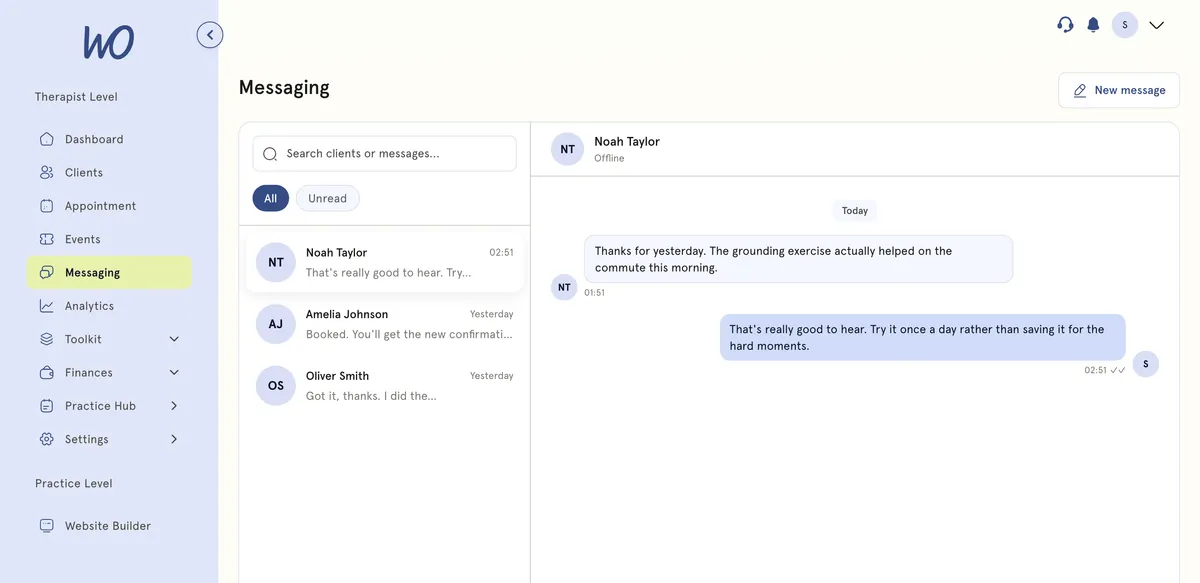
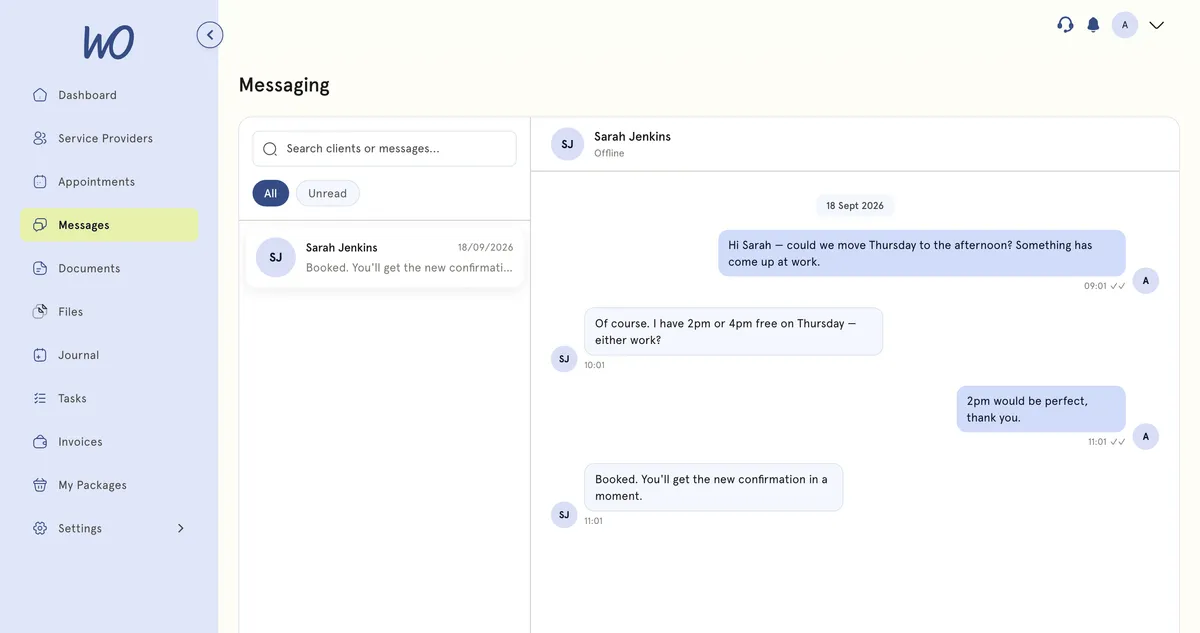
Two-way chat, off your personal phone
Every conversation sits against the client, next to their appointments and notes. Reply on whichever channel they used, and the answer goes back the same way.
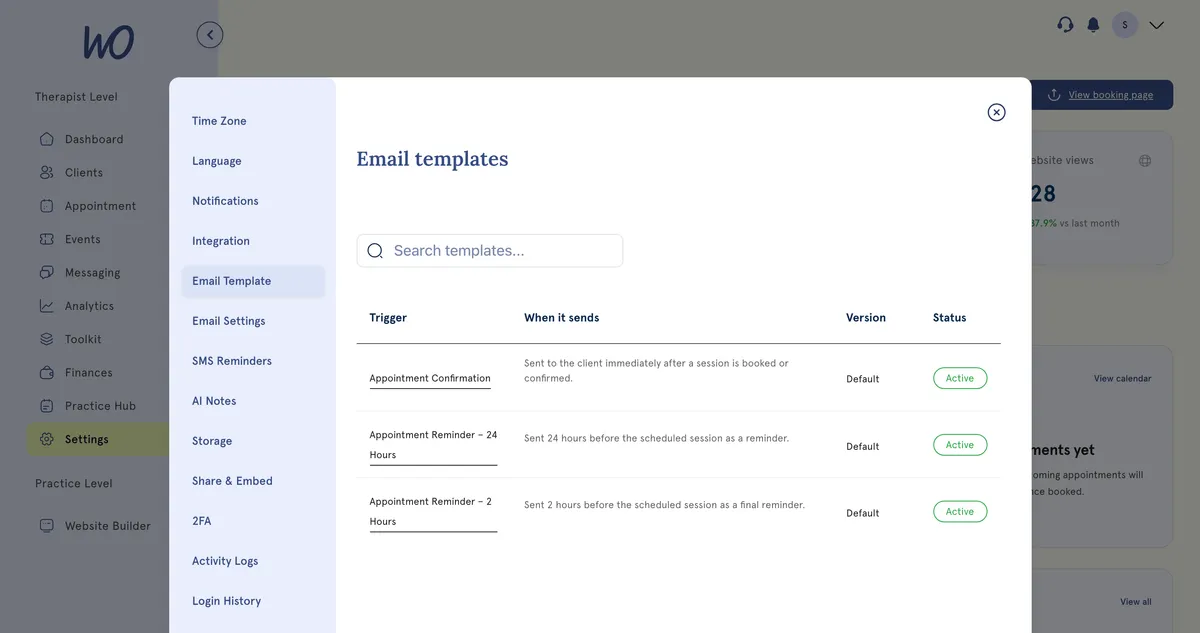
The messages you’d otherwise send by hand
Confirmations, reminders 24 and 2 hours before, and follow-ups are templates you edit once. Switch each one on and it goes out by email or SMS, in your words.
Answer instantly, even out of hours
Set auto-replies once and they answer on every inbox channel — an out-of-hours note, or an away message while you're on leave. Pick a rule to see it run.
Instagram · 21:14Instagram
Confirmations, reminders and follow-ups go out on their own around every booking.
One tap for the answers you type every week, with the client's name filled in.
Anything an auto-reply can't answer stays unread in your inbox until you reply.
WhatsApp, Instagram, Facebook and your portal — in one place
Connect your practice accounts and every message lands in the same inbox, linked to the client's record. Reply from MyWellOps and it goes back on the channel they used — no switching apps, no personal phone.
Secure chat against the client record, with read receipts and image attachments.
Connect your practice WhatsApp Business number. Replies go back to WhatsApp.
DMs to your practice account land in the inbox — handy for enquiries from posts.
Messenger conversations from your Facebook page, in the same list.
Coming soon. Confirmations, reminders and invoices already go out by email.
Outbound reminders and rebooking nudges. Clients can’t reply to texts.
Your client sees the same thread
This is the half that stops the phone tag. They ask to move Thursday, you offer two times, they pick one.
“Hi, it's Grace, about Thursday…”
A number you don't recognise
Buried in your personal inbox
How we help wellness professionals grow
Cut from admin a year — a full month of work back.
Saved a year by replacing booking, calendar and notes tools.
Saved on billing every month.
Of practitioners say setup is simple — no technical skills needed.
One inbox, set up in minutes
Your portal and website enquiries work from day one; connect the rest as you go.
Portal, website, WhatsApp, Instagram and Facebook messages all arrive in one inbox.
Every conversation sits in the client record, next to their appointments and notes.
Answer on whichever channel they used — the reply goes back the same way.
Appointment reminders and rebook nudges go out without you.
The routine replies, handled
Away messages, out-of-hours notes, confirmations and reminders send themselves. You answer the messages that need a person.
Real practitioners. Real results.
“The coaching session changed how I view my practice. I've increased my revenue by 30% while working fewer hours.”
Individual result. Outcomes vary by practice.Psychotherapist, UK
“Finally, a system that doesn't feel like it's designed for a hospital. It's clean, fast, and my clients love it.”
Counsellor, SA
“The GDPR compliance features take a huge weight off my shoulders. I can focus on my patients again.”
Clinical Psychologist
Frequently asked questions
Something else? Book a 20-minute demo.
Messaging happens inside MyWellOps against the client's record, rather than from your personal phone — including WhatsApp, Instagram and Facebook once you connect them — so the history stays with the practice and your own number stays yours.
Explore more of MyWellOps
One platform, so the next thing you need is already in it.
One inbox. No phone tag.
Start free. Portal messaging works from day one; connect the rest when you're ready.
See it on the shape of your own practice
Book a short walkthrough and we'll set up your services, calendar and booking page with you — so you leave with a practice that already works.