
Write the note by reviewing it, not by typing it
Record with consent, online or in the room. You get a speaker-labelled transcript and a structured draft — and keep the part of the job that needs your judgement.
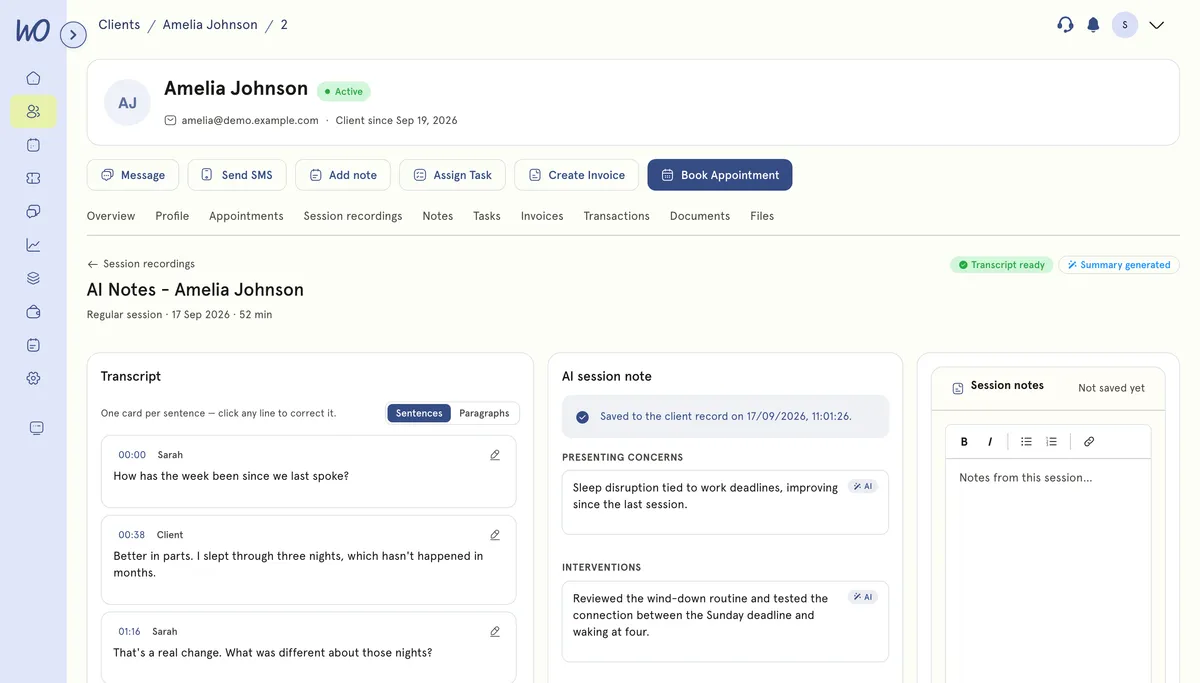
A transcript that knows who spoke, and a note with the shape of yours
Speech is split by speaker and labelled, so it reads as a conversation. The draft arrives in the sections you'd have written anyway — presenting concerns, interventions, plan — each traceable to the lines it came from.
It lands in the client record, next to everything else
Save the draft and it goes on the client's record — private to you, never visible in their portal, beside the transcript it came from.
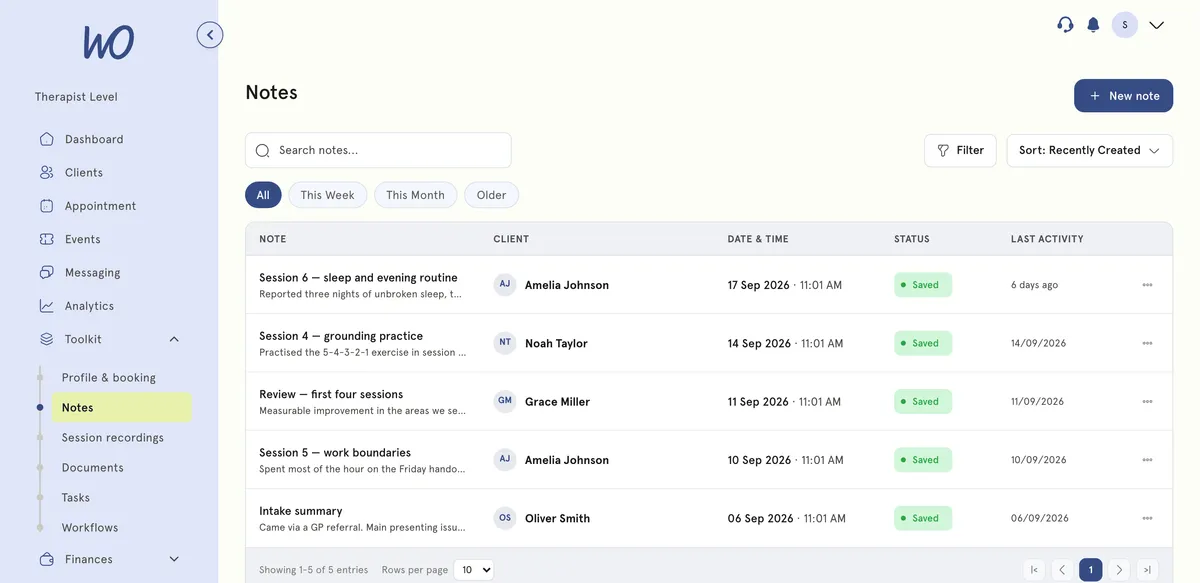
The note is the bit that follows you home
The session ends and the work doesn't. By Friday there are six notes to write from memory — which is how detail gets lost and evenings get eaten. AI Notes turns the job into reviewing, not starting from blank.
From memory — 4 days agoTo write
From memory — 4 days agoTo write
Blank noteTo write
Blank noteTo write
Blank noteTo write
Blank noteTo write
It joins the video call, or listens in the room
Same transcript and summary either way — pause and resume at any point.
Video sessions
Turn on auto-recording once. Every MyWellOps video call is recorded after your client consents, with a live transcript on your side of the screen.
In the room
Open the appointment and select Record session. Your browser listens — no extra device — and the recording goes through the same pipeline.
Consent first, and recorded as evidence
Nothing records until consent is given, and how it was given is stored. A client tapping accept and you attesting to a verbal yes aren't equivalent evidence, so they stay distinguishable. Declining is a recorded outcome, not a silent failure.
Retention you set, and deletion that deletes
There's deliberately no keep-forever option: holding session recordings indefinitely is a liability, not a feature. When they expire, everything the pipeline produced is purged.
Real practitioners. Real results.
“The coaching session changed how I view my practice. I've increased my revenue by 30% while working fewer hours.”
Individual result. Outcomes vary by practice.Psychotherapist, UK
“Finally, a system that doesn't feel like it's designed for a hospital. It's clean, fast, and my clients love it.”
Counsellor, SA
“The GDPR compliance features take a huge weight off my shoulders. I can focus on my patients again.”
Clinical Psychologist
Frequently asked questions
Something else? Book a 20-minute demo.
No. It records sessions held on MyWellOps video, and sessions in the room through your browser. Calls on other platforms aren't recorded.
Explore more of MyWellOps
One platform, so the next thing you need is already in it.
Finish the session. The note is done.
Start free. Turn AI Notes on when you're ready — it's off by default.
See it on the shape of your own practice
Book a short walkthrough and we'll set up your services, calendar and booking page with you — so you leave with a practice that already works.