
Take bookings on the website you already have
Keep your site. Paste one snippet, and the real MyWellOps booking flow — services, times, payment — runs on your own page.
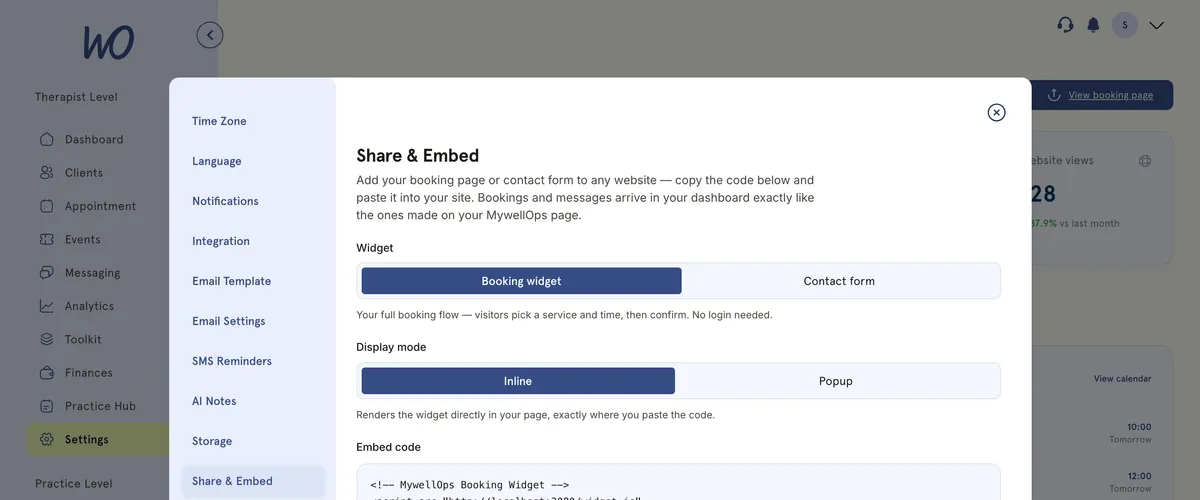
Copy it from Settings, paste it into your page
Share & Embed gives you the code. Choose the booking widget or the contact form, inline or popup, and copy. That's the whole install — or send it to whoever looks after your site.
The same booking flow, wherever it lives
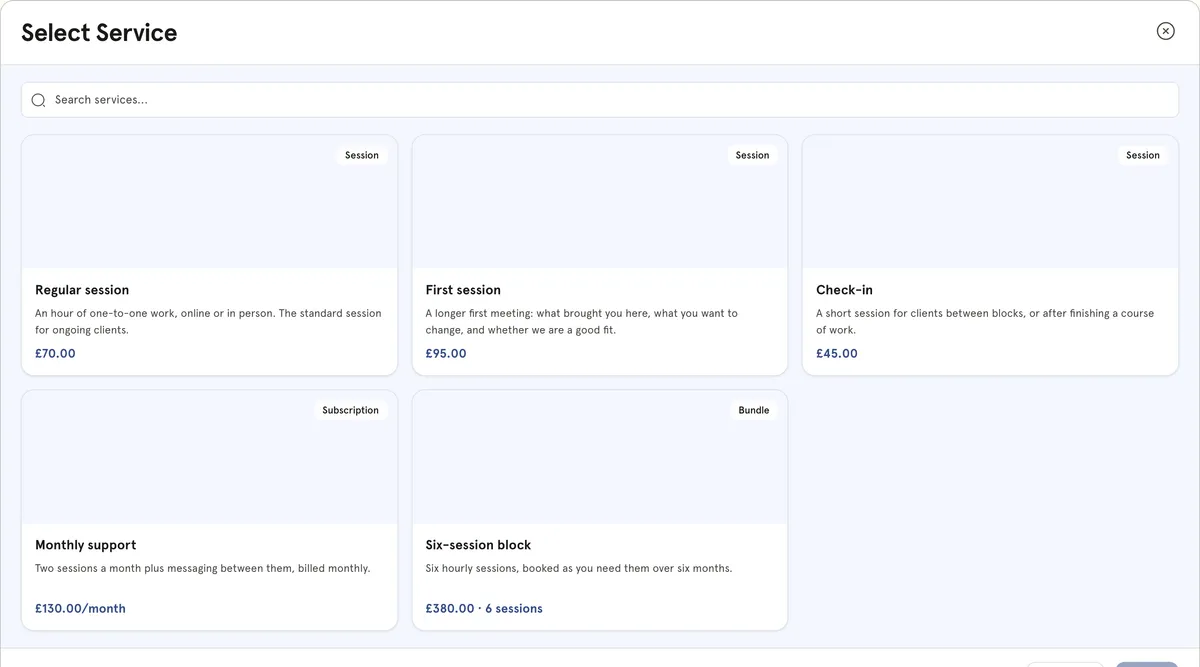
The widget runs the same services, availability, booking rules and payment as your MyWellOps profile. A client on your site books exactly what a client on your booking link would — and it lands in the same diary.
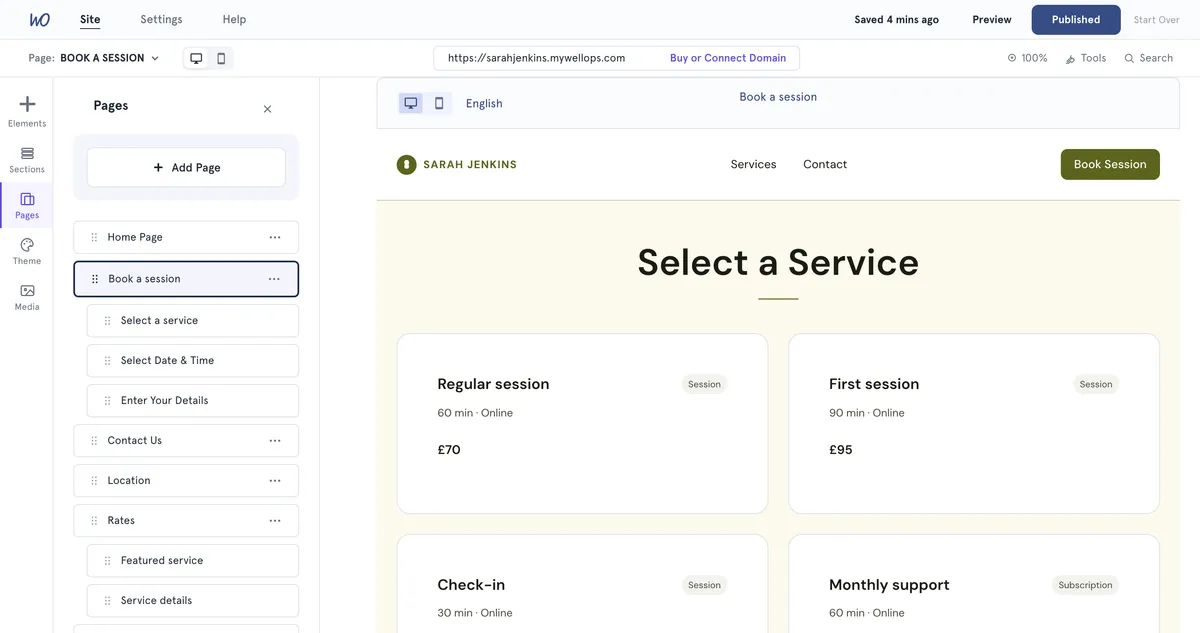
On the page, or behind a button
Set it into the page where your content already is, or add a button that opens the booking flow over your site and closes when the client is done.
Confidential counselling for men dealing with stress, anger and relationships. No jargon, no judgement.
Your brand, not ours
The widget carries a small “Powered by MyWellOps” badge. The Pro plan removes it, along with the rest of the white-label branding.
Live on your site in ten minutes
Keep the website you have. Add the booking.
Your services, prices and availability already live in MyWellOps.
Pick inline or popup, and set the popup button's text if you like.
Copy the embed snippet into your website, or send it to whoever looks after it.
Same calendar, same confirmations, same reminders — from your existing site.
Nothing to install, nothing to keep updated
The widget loads from MyWellOps, so new features and fixes reach your site without you touching the code again.
Real practitioners. Real results.
“The coaching session changed how I view my practice. I've increased my revenue by 30% while working fewer hours.”
Individual result. Outcomes vary by practice.Psychotherapist, UK
“Finally, a system that doesn't feel like it's designed for a hospital. It's clean, fast, and my clients love it.”
Counsellor, SA
“The GDPR compliance features take a huge weight off my shoulders. I can focus on my patients again.”
Clinical Psychologist
Frequently asked questions
Something else? Book a 20-minute demo.
No. That is the whole point of it. If you already have a site you are happy with, you keep it — you paste one snippet into the page where you want booking to appear.
Explore more of MyWellOps
One platform, so the next thing you need is already in it.
Keep your site. Add the bookings.
Start free. The snippet is ready the moment you sign up.
See it on the shape of your own practice
Book a short walkthrough and we'll set up your services, calendar and booking page with you — so you leave with a practice that already works.