
A diary that takes its own bookings
Clients see your real availability and book themselves. Working hours, buffers and reminders are set once — then the back-and-forth stops.
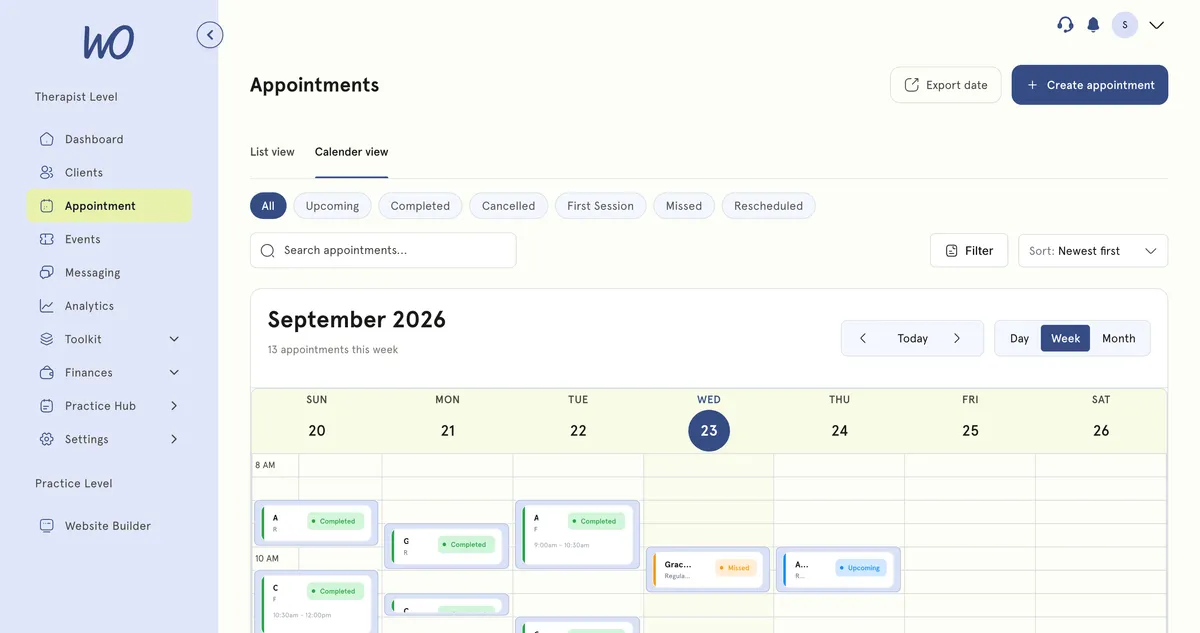
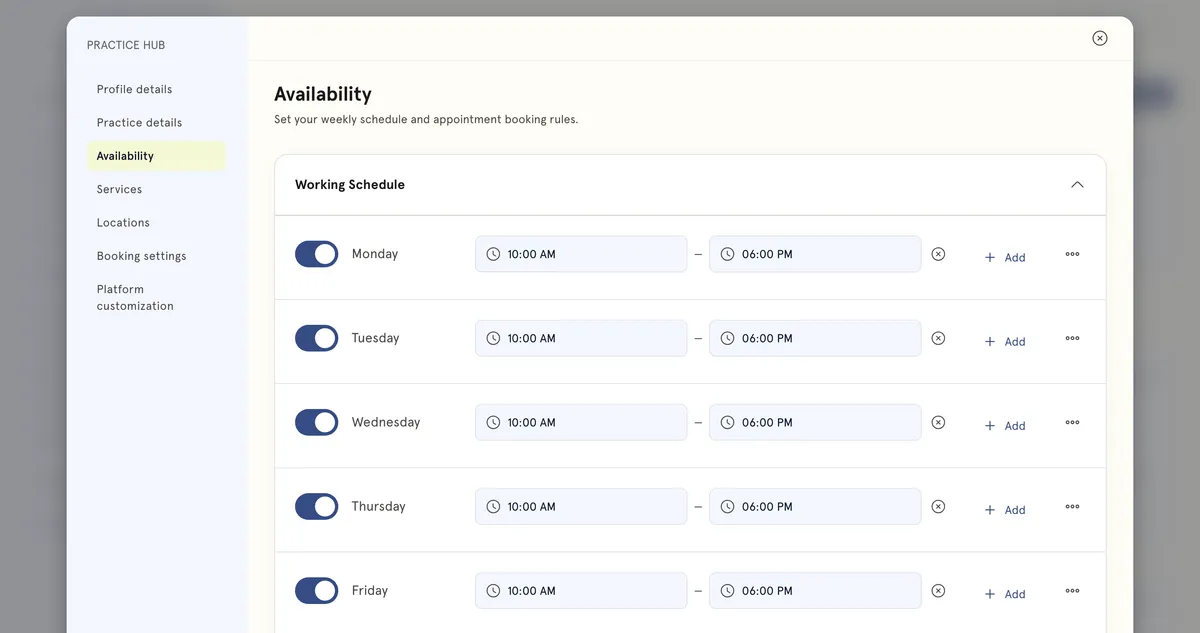
Set your hours once. The diary respects them.
Working days, start and finish times, breaks and buffers. Clients can only ever pick from the times you’d actually say yes to.
Clients book from your site — and pay
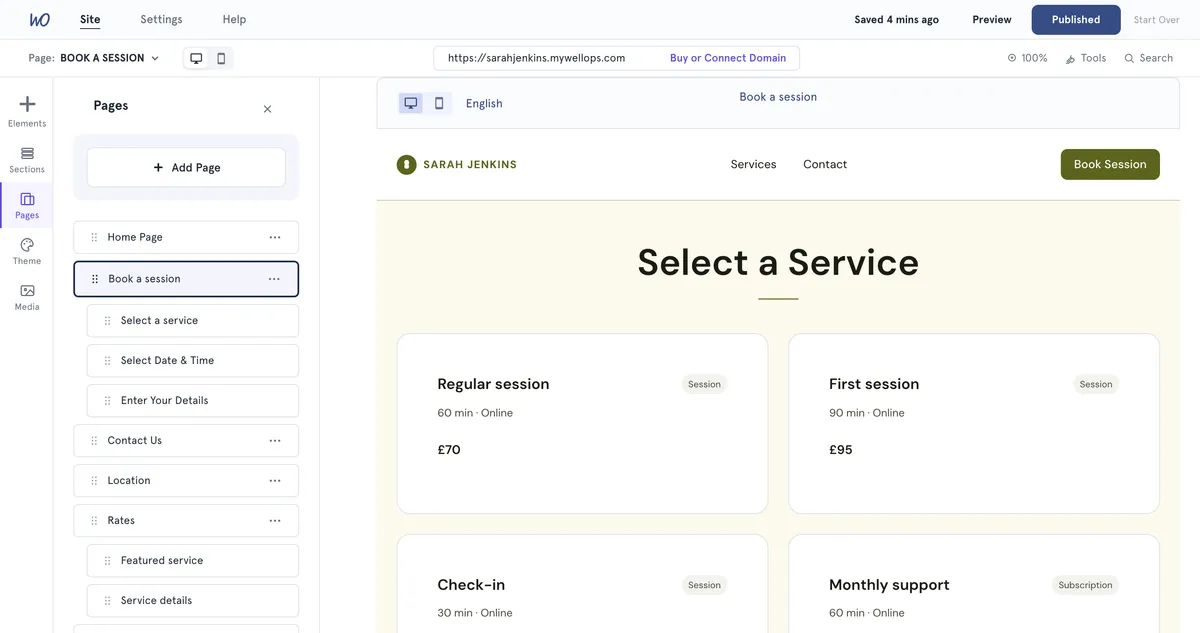
Your booking page lists your services with their length and price. They pick a slot, pay by card, and the appointment lands in your diary with the invoice already raised.
One diary, even with Google in the mix
Connect your Google Calendar: your Google events show in your MyWellOps diary, and your appointments appear in Google as busy time — so you never double-book.
Your rules, reflected in every slot
Set buffers, booking windows and daily limits once. Clients only ever see times that genuinely work for you — try it.
Travel time and daily limits, built into the diary
Add travel time around appointments so the diary never books you somewhere you can't reach in time — and set a daily limit so a busy week can't book past what you can actually do.
How we help wellness professionals grow
Cut from admin a year — a full month of work back.
Saved a year by replacing booking, calendar and notes tools.
Saved on billing every month.
Of practitioners say setup is simple — no technical skills needed.
Live in an afternoon
Your diary is the first thing we set up with you.
Tell it when you work and how long you need between clients. It only ever offers those times.
Each service has its own length, price and location — online, in the room, or both.
Clients pick a time that suits them. Confirmations and reminders go out on their own.
Connect Google Calendar once. Personal events block time here; your appointments show as busy there.
The scheduling admin, handled
Confirmations and reminders go out on their own, and clients are emailed when you reschedule or cancel. You see the result in the diary.
Real practitioners. Real results.
“The coaching session changed how I view my practice. I've increased my revenue by 30% while working fewer hours.”
Individual result. Outcomes vary by practice.Psychotherapist, UK
“Finally, a system that doesn't feel like it's designed for a hospital. It's clean, fast, and my clients love it.”
Counsellor, SA
“The GDPR compliance features take a huge weight off my shoulders. I can focus on my patients again.”
Clinical Psychologist
Frequently asked questions
Something else? Book a 20-minute demo.
Yes. You set your availability and clients book directly from your website or booking link — no back-and-forth emails or phone calls.
Explore more of MyWellOps
One platform, so the next thing you need is already in it.
Fill the diary. Skip the emails.
Start free. Your booking link is live the same day.
See it on the shape of your own practice
Book a short walkthrough and we'll set up your services, calendar and booking page with you — so you leave with a practice that already works.