
Before you start
- The payment must have been taken online through Stripe. For cash or other payments, refund the client yourself.
Steps
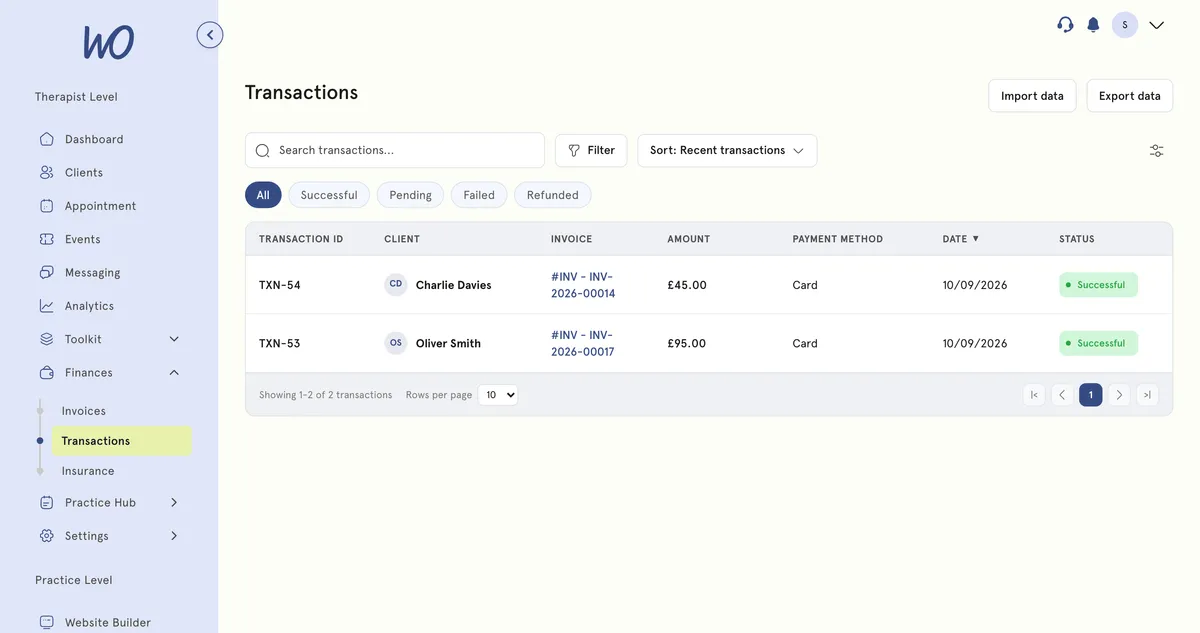
Full refund (in MyWellOps)
- Go to Finances → Transactions and find the payment.
- Select Refund.
- Confirm in Issue refund?.
The whole payment is refunded to the client’s card, and the platform fee on it comes back to you.
Partial refund (in Stripe)
MyWellOps refunds the full amount only. For part of a payment, use Stripe:
- Go to Settings → Integration → Accounting and select Open Stripe Dashboard.
- In Stripe, find the payment and refund the amount you want.
Good to know
- A refund made directly in Stripe doesn’t return the MyWellOps platform fee by default. A full refund made in MyWellOps does.
- Stripe’s own processing fee isn’t returned either way.
- Cancelling an appointment doesn’t refund it. Refund the payment separately.
- Check the invoice afterwards to make sure it shows the refund.
Troubleshooting
I can’t refund a recent payment. Stripe may still be settling the original charge, which can take a few days. Try again later.
The client paid in cash. Refund them directly. There’s nothing to refund through Stripe.