
Before you start
- You need a card saved on your account. If there isn’t one, you’ll be asked to add it while turning SMS on.
- Clients need a UK mobile number on their profile. Clients without one don’t get reminders.
Steps
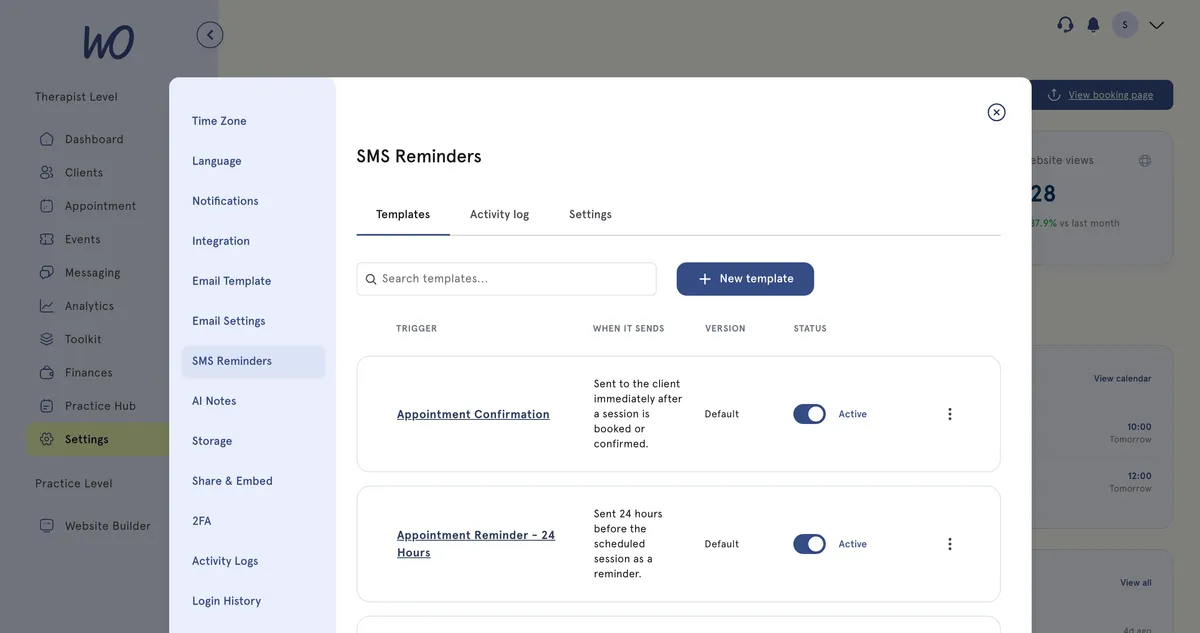
- In the sidebar, select Settings, then SMS Reminders.
- Select the Settings tab. It opens on Templates, and Activity log is the third tab.
- Select Enable SMS Reminders.
- Read the pricing and terms. Tick the box to agree, then select Enable SMS Reminders.
- Under Reminder timing, tick when reminders go out, from 1 hour before to 72 hours before. Pick at least one.
- If you like, enter a Sender ID. This is the name clients see: up to 11 letters or digits, including at least one letter. Leave it blank to use the MyWellOps default.
- If you like, change the Win-back nudge days.
- Select Save settings.
What happens next
Reminders go out automatically before upcoming appointments, at the times you chose. To change the wording, use the Templates tab. Turning a template off stops that reminder.
The app also texts clients after a session and after a cancellation if they haven’t rebooked. It also sends your win-back nudge. Every text appears in the Activity log tab.
Your SMS balance
When you turn SMS on, your card is charged and the money goes into a prepaid SMS balance. Each text is paid from this balance, and it tops up automatically from the same card. The screen shows the per-message price and the balance before you agree, so check them there rather than taking a figure from this guide.
If a top-up fails, you’ll see SMS paused — payment failed. Update your card, and the app will try again automatically. If you turn SMS off, you keep your balance.
Opting out
- Every text ends with Reply STOP to opt out. You can’t remove this.
- Clients can’t reply to texts, except to opt out.
- If a client replies STOP (or UNSUBSCRIBE, CANCEL, END, QUIT or STOPALL), they won’t get any more texts from you. Blocked texts show as Opted Out in the Activity log and you aren’t charged for them.
Good to know
To send a one-off text, select Send SMS on a client’s profile, or New SMS in the Activity log. These are paid from the same balance.
Troubleshooting
A client didn’t get their reminder. Check their profile has a UK mobile number. Then look them up in the Activity log — if their texts show as Opted Out, they’ve replied STOP and won’t get texts from you.
I see SMS paused — payment failed. Your card was declined when your balance topped up. On the Subscription page in Settings, select Update card. The app will then try again.