September offer: 70% off your first 6 months on any paid plan. Sign up by 30 September 2026.

Start free trialTerms
MyWellOps home

Update a client's contact details

Change a client's email, phone number or address from their profile, and what changing their email does to how they sign in.

In the app

Clients[client]ProfileContact DetailsEdit

Reading time

About 1 min

Before you start

  • Check the new details with the client first. A typo in an email address means they can’t sign in.

Steps
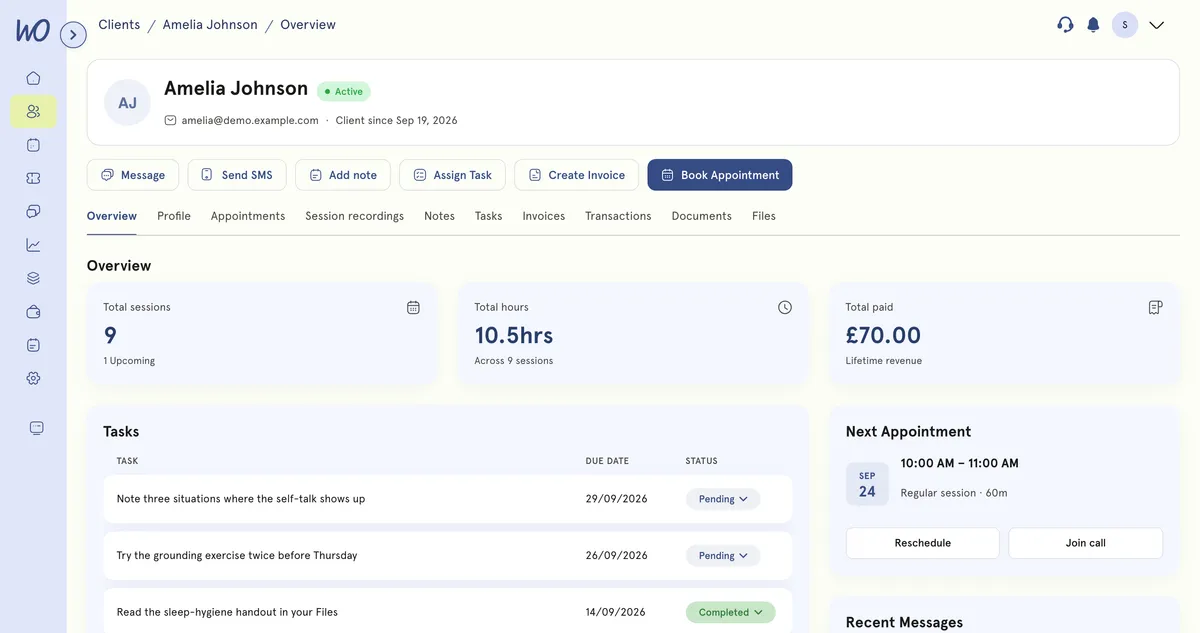
A client's record in MyWellOps: their name, status and start date, actions to message, text, add a note, assign a task, invoice or book, and tabs for overview, profile, appointments, session recordings, notes, tasks, invoices, transactions, documents and files — with 9 sessions, 10.5 hours and £70.00 lifetime revenue, their tasks, next appointment and recent messages below.
A client's record. Their contact details are on the Profile tab.
  1. In the sidebar, select Clients and open the client.
  2. Select the Profile tab.
  3. On the Contact Details card, select Edit. The Edit Contact Details window opens.
  4. Change what you need: Email, Phone Number, Street Address, City, Postcode or Country.
  5. Save your changes.

What happens next

The profile updates straight away. Their appointments, notes and invoices stay exactly where they were. Nothing is duplicated.

Good to know

  • Changing their email changes how they sign in. From now on the client signs in with the new address. They aren’t sent anything to say so, so tell them yourself.
  • SMS opt-outs are recorded against a phone number. If a client opted out on their old number, reminders will go to a new number unless they opt out again.

Still need help?

If something here doesn't match what you see, or you're stuck on a step, our support team can help.

Email us

Write to support@mywellops.com and tell us what you need.

Send an email

Start a chat

Chat with our support team right here. You don't need to sign in.

Spotted something wrong in this guide? Tell us by email or chat and we'll fix it. New to MyWellOps? Book a demo.

Spend less time on admin, more time with clients

Start free. Cancel anytime, and your data comes with you if you leave.

Would rather be shown? Book a 20-minute demo

  • Free 1-on-1 onboarding
  • 7-day free trial
  • Cancel anytime