September offer: 70% off your first 6 months on any paid plan. Sign up by 30 September 2026.

Start free trialTerms
MyWellOps home

Sell sessions as a bundle

Sell several sessions together at one price. MyWellOps keeps count of what's used, and a cancelled session goes back into the bundle.

In the app

Practice HubServices+ Add ServiceBundle

Reading time

About 1 min

Before you start

  • Decide how many sessions the bundle holds, its price, and how long clients have to use it.
  • To take payment online, connect Stripe first.

Steps
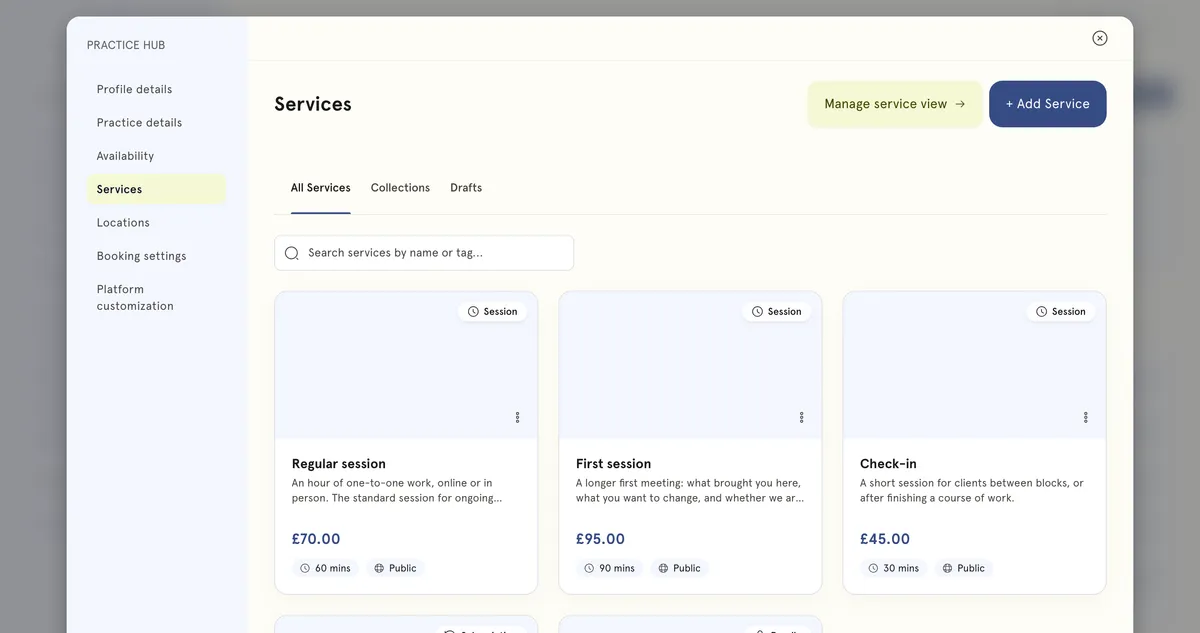
The Services screen in Practice Hub: three session types at £70, £95 and £45 with their length and public visibility, above a subscription and a six-session bundle.
A bundle and a subscription listed with your other services.
  1. In the sidebar, select Practice Hub, then Services.
  2. Select + Add Service. Under What would you like to create?, choose Bundle and select Continue.
  3. Give it a Service title and a description that says what’s included.
  4. Set Each session duration and the Number of sessions.
  5. Set Validity (days) — how long clients have to use their sessions. Leave it empty for no expiry.
  6. Under What clients pay, set the price for the whole bundle.
  7. Select Publish.

What happens next

Clients can buy the bundle from your booking page. MyWellOps keeps count of how many sessions they’ve used, and they can see their bundles under My Packages in their portal.

Good to know

  • Cancelled sessions go back into the bundle. If a session booked from a bundle is cancelled, the client gets that session back.
  • No-shows are used. A missed session is not returned.
  • Expired or refunded bundles don’t get sessions back. Once a bundle’s validity has passed, or it has been refunded, a cancellation doesn’t return anything to it.
  • A bundle never holds more sessions than it started with.

Still need help?

If something here doesn't match what you see, or you're stuck on a step, our support team can help.

Email us

Write to support@mywellops.com and tell us what you need.

Send an email

Start a chat

Chat with our support team right here. You don't need to sign in.

Spotted something wrong in this guide? Tell us by email or chat and we'll fix it. New to MyWellOps? Book a demo.

Spend less time on admin, more time with clients

Start free. Cancel anytime, and your data comes with you if you leave.

Would rather be shown? Book a 20-minute demo

  • Free 1-on-1 onboarding
  • 7-day free trial
  • Cancel anytime