September offer: 70% off your first 6 months on any paid plan. Sign up by 30 September 2026.

Start free trialTerms
MyWellOps home

Share your booking link

Copy the link to your booking page from your dashboard and share it anywhere clients might find you, or open the page to check it.

In the app

DashboardCopy booking link / View booking page

Reading time

About 1 min

Steps

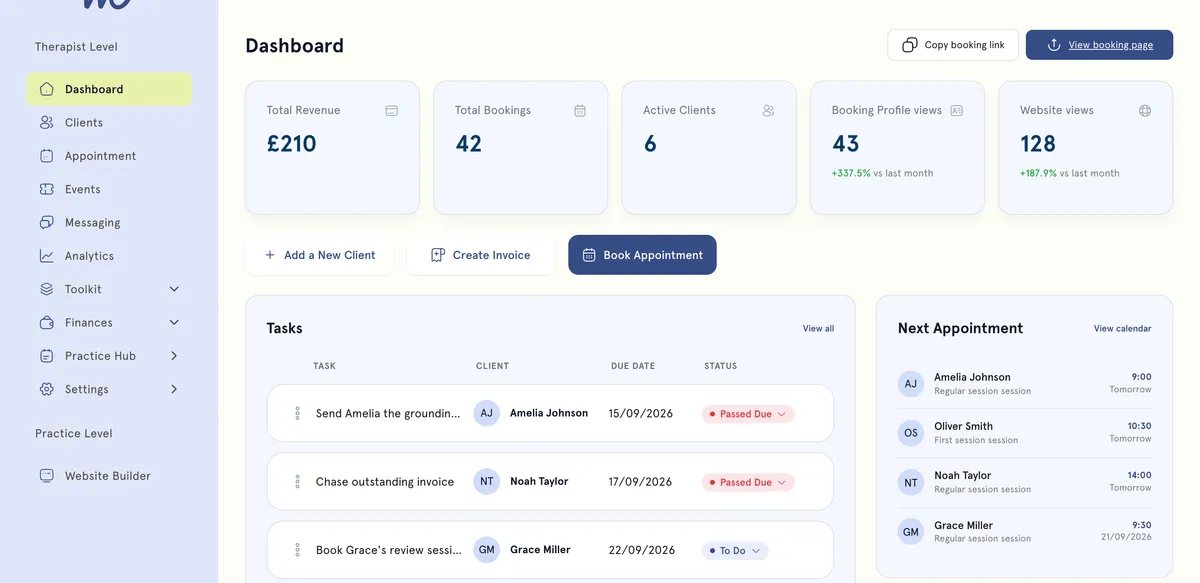
The MyWellOps dashboard: total revenue £210, 42 bookings, 6 active clients, 43 booking-profile views and 128 website views, above a task list and the next four appointments.
Copy booking link and View booking page are at the top right of the dashboard.
  1. Open your dashboard. The two buttons are at the top right.
  2. Select Copy booking link. The link is copied, ready to paste.
  3. To see what clients see, select View booking page. It opens in a new tab.

Where to share it

  • Your email signature.
  • Your Instagram bio, LinkedIn or Facebook page.
  • A message to anyone who asks how to book.

Good to know

  • It’s one link for everything. Clients see all your public services on it and choose the one they want.
  • Check the page now and then, especially after changing services or prices.

Still need help?

If something here doesn't match what you see, or you're stuck on a step, our support team can help.

Email us

Write to support@mywellops.com and tell us what you need.

Send an email

Start a chat

Chat with our support team right here. You don't need to sign in.

Spotted something wrong in this guide? Tell us by email or chat and we'll fix it. New to MyWellOps? Book a demo.

Spend less time on admin, more time with clients

Start free. Cancel anytime, and your data comes with you if you leave.

Would rather be shown? Book a 20-minute demo

  • Free 1-on-1 onboarding
  • 7-day free trial
  • Cancel anytime