September offer: 70% off your first 6 months on any paid plan. Sign up by 30 September 2026.

Start free trialTerms
MyWellOps home

Working with clients in other time zones

Your booking times are shown in your practice's time zone, not the client's. How to set yours, and how to stop clients in other countries booking the wrong hour.

In the app

Practice HubAvailabilityTime zone

Reading time

About 1 min

How it works

The times on your booking page are in your practice’s time zone. They aren’t converted for clients elsewhere. If you’re in London and offer 2:00 PM, a client in New York also sees 2:00 PM, and it means 2:00 PM in London.

Steps
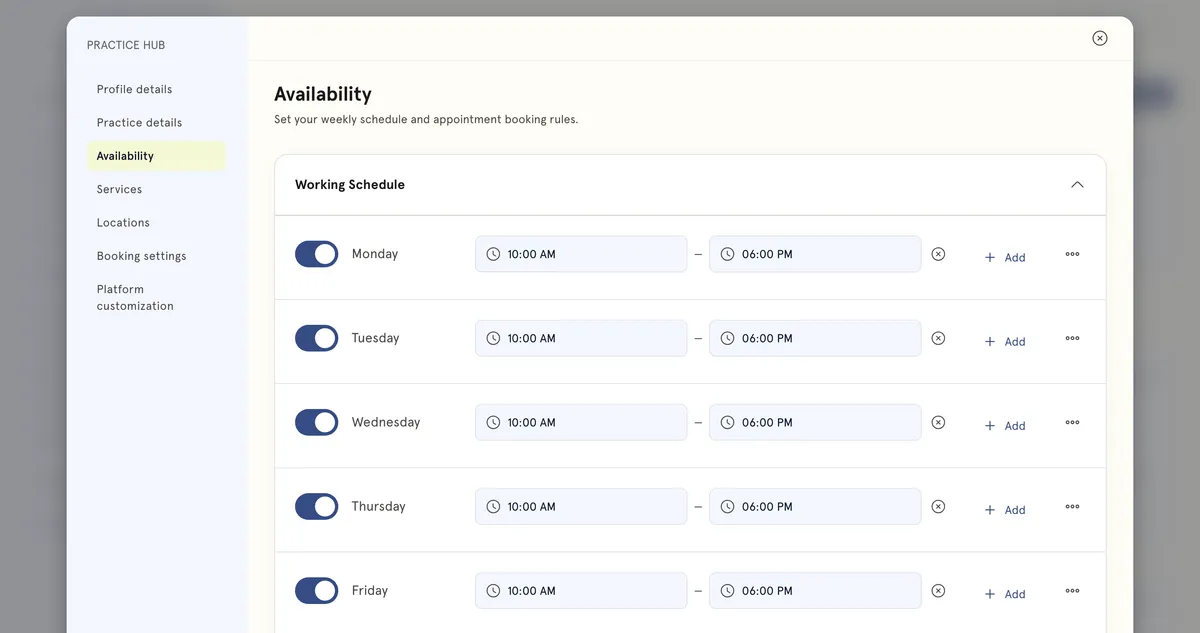
Availability in Practice Hub: the working schedule, Monday to Friday, 10am to 6pm.
Practice Hub → Availability, where your time zone is set.
  1. Go to Practice Hub → Availability.
  2. Check Time zone is set to where you work. It starts out empty (Select a timezone), and your working hours are read in it.
  3. Select Save changes.

Help clients in other time zones book the right hour

  • Say which time zone your times are in, in each service’s description. For example: All times are UK time.
  • When you confirm a booking by message, give the time in both places, for example 2:00 PM London (9:00 AM New York).
  • If you travel and work from another time zone for a while, update Time zone so your hours line up.

Troubleshooting

A client from abroad turned up at the wrong time. They most likely read your times as their own local time. Add the time zone to your service descriptions, and give both times when you confirm.

Still need help?

If something here doesn't match what you see, or you're stuck on a step, our support team can help.

Email us

Write to support@mywellops.com and tell us what you need.

Send an email

Start a chat

Chat with our support team right here. You don't need to sign in.

Spotted something wrong in this guide? Tell us by email or chat and we'll fix it. New to MyWellOps? Book a demo.

Spend less time on admin, more time with clients

Start free. Cancel anytime, and your data comes with you if you leave.

Would rather be shown? Book a 20-minute demo

  • Free 1-on-1 onboarding
  • 7-day free trial
  • Cancel anytime